Compare commits
1 commit
main
...
dependabot
| Author | SHA1 | Date | |
|---|---|---|---|

|
b0e91a633b |
18 changed files with 607 additions and 658 deletions
|
|
@ -1,87 +0,0 @@
|
|||
name: build-and-push
|
||||
|
||||
on:
|
||||
push:
|
||||
branches:
|
||||
- main
|
||||
|
||||
jobs:
|
||||
lint:
|
||||
runs-on: self-hosted
|
||||
steps:
|
||||
- name: Checkout
|
||||
uses: actions/checkout@v4
|
||||
- name: Setup Node.js
|
||||
uses: actions/setup-node@v4
|
||||
with:
|
||||
node-version: 20
|
||||
- name: Install dependencies
|
||||
run: npm ci
|
||||
- name: Run ESLint
|
||||
run: npm run lint
|
||||
|
||||
sonar:
|
||||
needs: lint
|
||||
runs-on: self-hosted
|
||||
steps:
|
||||
- name: Checkout
|
||||
uses: actions/checkout@v4
|
||||
with:
|
||||
fetch-depth: 0
|
||||
- name: Setup Node.js
|
||||
uses: actions/setup-node@v4
|
||||
with:
|
||||
node-version: 20
|
||||
- name: Install Sonar Scanner (npm)
|
||||
run: npm install -g sonarqube-scanner
|
||||
- name: SonarQube Scan
|
||||
env:
|
||||
SONAR_HOST_URL: ${{ secrets.SONAR_HOST_URL }}
|
||||
SONAR_TOKEN: ${{ secrets.SONAR_TOKEN }}
|
||||
SONAR_PROJECT_KEY: ${{ secrets.SONAR_PROJECT_KEY }}
|
||||
run: |
|
||||
WORKDIR=${GITHUB_WORKSPACE:-$PWD}
|
||||
HOST_URL=${SONAR_HOST_URL:?SONAR_HOST_URL secret not set}
|
||||
PROJECT_KEY=${SONAR_PROJECT_KEY:-}
|
||||
if [ -z "$PROJECT_KEY" ] && [ -f sonar-project.properties ]; then
|
||||
PROJECT_KEY=$(grep -E '^sonar.projectKey=' sonar-project.properties | cut -d= -f2 | tr -d '\r')
|
||||
fi
|
||||
if [ -z "$PROJECT_KEY" ]; then
|
||||
echo "SONAR_PROJECT_KEY secret not set and no sonar-project.properties entry found" >&2
|
||||
exit 1
|
||||
fi
|
||||
echo "Sonar project key: $PROJECT_KEY"
|
||||
echo "Listing workspace:"
|
||||
ls -la
|
||||
echo "Sample files:"
|
||||
find . -maxdepth 2 -type f | head -n 20
|
||||
echo "Running local sonar-scanner..."
|
||||
sonar-scanner \
|
||||
-Dsonar.host.url="$HOST_URL" \
|
||||
-Dsonar.login="$SONAR_TOKEN" \
|
||||
-Dsonar.projectKey="$PROJECT_KEY" \
|
||||
-Dsonar.sources=. \
|
||||
-Dsonar.scm.disabled=true \
|
||||
-Dsonar.projectBaseDir="$WORKDIR"
|
||||
|
||||
docker:
|
||||
needs: [lint, sonar]
|
||||
runs-on: self-hosted
|
||||
steps:
|
||||
- name: Set up Docker Buildx
|
||||
uses: docker/setup-buildx-action@v3
|
||||
|
||||
- name: Checkout
|
||||
uses: actions/checkout@v4
|
||||
|
||||
- name: Login to registry
|
||||
run: echo "${{ secrets.REG_TOKEN }}" | docker login "${{ secrets.REGISTRY }}" -u "${{ secrets.REG_USER }}" --password-stdin
|
||||
|
||||
- name: Build image
|
||||
run: |
|
||||
docker buildx build --load \
|
||||
-t "${{ secrets.REGISTRY_IMAGE }}:latest" .
|
||||
|
||||
- name: Push image
|
||||
run: |
|
||||
docker push "${{ secrets.REGISTRY_IMAGE }}:latest"
|
||||
13
.github/FUNDING.yml
vendored
Normal file
13
.github/FUNDING.yml
vendored
Normal file
|
|
@ -0,0 +1,13 @@
|
|||
# These are supported funding model platforms
|
||||
|
||||
github: vogler # Replace with up to 4 GitHub Sponsors-enabled usernames e.g., [user1, user2]
|
||||
patreon: fgc # Replace with a single Patreon username
|
||||
open_collective: # Replace with a single Open Collective username
|
||||
ko_fi: vogler # Replace with a single Ko-fi username
|
||||
tidelift: # Replace with a single Tidelift platform-name/package-name e.g., npm/babel
|
||||
community_bridge: # Replace with a single Community Bridge project-name e.g., cloud-foundry
|
||||
liberapay: vogler # Replace with a single Liberapay username
|
||||
issuehunt: # Replace with a single IssueHunt username
|
||||
otechie: # Replace with a single Otechie username
|
||||
lfx_crowdfunding: # Replace with a single LFX Crowdfunding project-name e.g., cloud-foundry
|
||||
custom: ["https://www.buymeacoffee.com/vogler", "https://paypal.me/voglerr"] # Replace with up to 4 custom sponsorship URLs e.g., ['link1', 'link2']
|
||||
28
.github/dependabot.yml
vendored
Normal file
28
.github/dependabot.yml
vendored
Normal file
|
|
@ -0,0 +1,28 @@
|
|||
# To get started with Dependabot version updates, you'll need to specify which
|
||||
# package ecosystems to update and where the package manifests are located.
|
||||
# Please see the documentation for all configuration options:
|
||||
# https://docs.github.com/github/administering-a-repository/configuration-options-for-dependency-updates
|
||||
|
||||
version: 2
|
||||
updates:
|
||||
- package-ecosystem: "npm"
|
||||
directory: "/"
|
||||
schedule:
|
||||
interval: "weekly"
|
||||
# commit-message:
|
||||
# prefix: "npm"
|
||||
# include: "scope"
|
||||
- package-ecosystem: "docker"
|
||||
directory: "/"
|
||||
schedule:
|
||||
interval: "weekly"
|
||||
# commit-message:
|
||||
# prefix: "docker"
|
||||
# include: "scope"
|
||||
- package-ecosystem: "github-actions"
|
||||
directory: "/"
|
||||
schedule:
|
||||
interval: "weekly"
|
||||
# commit-message:
|
||||
# prefix: "github-actions"
|
||||
# include: "scope"
|
||||
7
.github/renovate.json
vendored
Normal file
7
.github/renovate.json
vendored
Normal file
|
|
@ -0,0 +1,7 @@
|
|||
{
|
||||
"$schema": "https://docs.renovatebot.com/renovate-schema.json",
|
||||
"enabled": false,
|
||||
"extends": [
|
||||
"config:recommended"
|
||||
]
|
||||
}
|
||||
72
.github/workflows/docker.yml
vendored
Normal file
72
.github/workflows/docker.yml
vendored
Normal file
|
|
@ -0,0 +1,72 @@
|
|||
name: Build and push Docker image (amd64, arm64 to hub.docker.com and ghcr.io)
|
||||
|
||||
on:
|
||||
workflow_dispatch: # allows manual trigger
|
||||
push: # push on branch
|
||||
branches: [main, dev]
|
||||
paths: # ignore changes to .md files
|
||||
- '**'
|
||||
- '!*.md'
|
||||
# - '!.github/**'
|
||||
pull_request: # runs when opened/reopned or when the head branch is updated
|
||||
|
||||
permissions:
|
||||
contents: read
|
||||
packages: write
|
||||
|
||||
env:
|
||||
BRANCH: ${{ github.head_ref || github.ref_name }} # head_ref/base_ref are only set for PRs, for branches ref_name will be used
|
||||
|
||||
jobs:
|
||||
docker:
|
||||
runs-on: ubuntu-latest
|
||||
steps:
|
||||
-
|
||||
name: Checkout
|
||||
uses: actions/checkout@v4
|
||||
-
|
||||
name: Set environment variables
|
||||
run: |
|
||||
echo "NOW=$(date -R)" >> $GITHUB_ENV # date -Iseconds; date +'%Y-%m-%dT%H:%M:%S'
|
||||
if [[ "$BRANCH" == "main" ]]; then
|
||||
echo "IMAGE_TAG=latest" >> $GITHUB_ENV
|
||||
else
|
||||
echo "IMAGE_TAG=$BRANCH" >> $GITHUB_ENV
|
||||
fi
|
||||
-
|
||||
name: Set up QEMU
|
||||
uses: docker/setup-qemu-action@v3
|
||||
-
|
||||
name: Set up Docker Buildx
|
||||
uses: docker/setup-buildx-action@v3
|
||||
-
|
||||
name: Login to Docker Hub
|
||||
uses: docker/login-action@v3
|
||||
# if: ${{ secrets.DOCKERHUB_USERNAME != '' && secrets.DOCKERHUB_TOKEN != '' }} # does not work: Unrecognized named-value: 'secrets' - https://www.cloudtruth.com/blog/skipping-jobs-in-github-actions-when-secrets-are-unavailable-securely-inject-configuration-secrets-into-github
|
||||
with:
|
||||
username: ${{ secrets.DOCKERHUB_USERNAME }}
|
||||
password: ${{ secrets.DOCKERHUB_TOKEN }}
|
||||
-
|
||||
name: Login to GitHub Container Registry
|
||||
uses: docker/login-action@v3
|
||||
with:
|
||||
registry: ghcr.io
|
||||
username: ${{ github.actor }} # actor is user that opened PR, was repository_owner before
|
||||
password: ${{ secrets.GITHUB_TOKEN }}
|
||||
-
|
||||
name: Build and push
|
||||
uses: docker/build-push-action@v6
|
||||
if: ${{ env.IMAGE_TAG != '' }}
|
||||
with:
|
||||
context: .
|
||||
push: ${{ secrets.DOCKERHUB_USERNAME != '' }}
|
||||
build-args: |
|
||||
COMMIT=${{ github.sha }}
|
||||
BRANCH=${{ env.BRANCH }}
|
||||
NOW=${{ env.NOW }}
|
||||
platforms: linux/amd64,linux/arm64
|
||||
tags: |
|
||||
${{ secrets.DOCKERHUB_USERNAME }}/free-games-claimer:${{env.IMAGE_TAG}}
|
||||
ghcr.io/${{ github.actor }}/free-games-claimer:${{env.IMAGE_TAG}}
|
||||
cache-from: type=gha
|
||||
cache-to: type=gha,mode=max
|
||||
36
.github/workflows/lint.yml
vendored
Normal file
36
.github/workflows/lint.yml
vendored
Normal file
|
|
@ -0,0 +1,36 @@
|
|||
# https://github.com/marketplace/actions/super-linter#get-started
|
||||
name: Lint
|
||||
|
||||
on: # yamllint disable-line rule:truthy
|
||||
push: null
|
||||
pull_request: null
|
||||
|
||||
permissions: {}
|
||||
|
||||
jobs:
|
||||
lint:
|
||||
name: Lint
|
||||
runs-on: ubuntu-latest
|
||||
|
||||
permissions:
|
||||
contents: read
|
||||
packages: read
|
||||
# To report GitHub Actions status checks
|
||||
statuses: write
|
||||
|
||||
steps:
|
||||
- name: Checkout code
|
||||
uses: actions/checkout@v4
|
||||
with:
|
||||
# super-linter needs the full git history to get the
|
||||
# list of files that changed across commits
|
||||
fetch-depth: 0
|
||||
|
||||
- name: Super-linter
|
||||
uses: super-linter/super-linter/slim@v7.4.0 # x-release-please-version
|
||||
# TODO need to create problem matchers for each linter? https://github.com/rhysd/actionlint/blob/v1.7.7/docs/usage.md#problem-matchers
|
||||
env:
|
||||
# To report GitHub Actions status checks
|
||||
GITHUB_TOKEN: ${{ secrets.GITHUB_TOKEN }}
|
||||
# TODO automatically fix linting issues and commit them for PRs
|
||||
# fix-lint-issues: # https://github.com/marketplace/actions/super-linter#github-actions-workflow-example-pull-request
|
||||
42
.github/workflows/sonar.yml
vendored
Normal file
42
.github/workflows/sonar.yml
vendored
Normal file
|
|
@ -0,0 +1,42 @@
|
|||
name: Sonar
|
||||
|
||||
on:
|
||||
# Trigger analysis when pushing in main or pull requests, and when creating a pull request.
|
||||
push:
|
||||
branches:
|
||||
- main
|
||||
pull_request:
|
||||
types: [opened, synchronize, reopened]
|
||||
|
||||
permissions:
|
||||
contents: read
|
||||
|
||||
jobs:
|
||||
sonarcloud:
|
||||
runs-on: ubuntu-latest
|
||||
steps:
|
||||
-
|
||||
uses: actions/checkout@v4
|
||||
with:
|
||||
# Disabling shallow clone is recommended for improving relevancy of reporting. Otherwise sonarcloud will show a warning.
|
||||
fetch-depth: 0
|
||||
-
|
||||
uses: actions/setup-node@v4
|
||||
with:
|
||||
cache: 'npm'
|
||||
-
|
||||
name: Install dev dependencies which includde ESLint + plugins
|
||||
run: npm install --only=dev
|
||||
-
|
||||
name: Run ESLint
|
||||
continue-on-error: true
|
||||
run: npx eslint . -f json -o eslint_report.json
|
||||
-
|
||||
name: Fix ESLint paths
|
||||
run: sed -i 's+/home/runner/work/free-games-claimer/free-games-claimer+/github/workspace+g' eslint_report.json
|
||||
-
|
||||
name: SonarCloud Scan
|
||||
uses: sonarsource/sonarcloud-github-action@master
|
||||
env:
|
||||
GITHUB_TOKEN: ${{ secrets.GITHUB_TOKEN }}
|
||||
SONAR_TOKEN: ${{ secrets.SONAR_TOKEN }}
|
||||
17
Dockerfile
17
Dockerfile
|
|
@ -45,8 +45,6 @@ RUN apt-get update \
|
|||
/var/lib/apt/lists/* \
|
||||
/var/tmp/*
|
||||
|
||||
RUN useradd -ms /bin/bash fgc
|
||||
|
||||
# RUN node --version
|
||||
# RUN npm --version
|
||||
|
||||
|
|
@ -63,16 +61,10 @@ RUN npm install
|
|||
# From 1.38 Playwright will no longer install browser automatically for playwright, but apparently still for playwright-firefox: https://github.com/microsoft/playwright/releases/tag/v1.38.0
|
||||
# RUN npx playwright install firefox
|
||||
|
||||
# Only copy the files we actually need in the image to avoid accidentally adding secrets.
|
||||
COPY *.js ./
|
||||
COPY eslint.config.js jsconfig.json sonar-project.properties ./
|
||||
COPY src ./src
|
||||
COPY test ./test
|
||||
COPY docker-entrypoint.sh ./
|
||||
COPY . .
|
||||
|
||||
# Shell scripts need Linux line endings. On Windows, git might be configured to check out dos/CRLF line endings, so we convert them for those people in case they want to build the image. They could also use --config core.autocrlf=input
|
||||
RUN dos2unix ./*.sh && chmod +x ./*.sh
|
||||
RUN chown -R fgc:fgc /fgc
|
||||
COPY docker-entrypoint.sh /usr/local/bin/
|
||||
|
||||
ARG COMMIT=""
|
||||
|
|
@ -95,9 +87,8 @@ LABEL org.opencontainers.image.title="free-games-claimer" \
|
|||
# Configure VNC via environment variables:
|
||||
ENV VNC_PORT 5900
|
||||
ENV NOVNC_PORT 6080
|
||||
# Ports are not exposed by default; publish explicitly with -p when you really need GUI access.
|
||||
# EXPOSE 5900
|
||||
# EXPOSE 6080
|
||||
EXPOSE 5900
|
||||
EXPOSE 6080
|
||||
|
||||
# Configure Xvfb via environment variables:
|
||||
ENV WIDTH 1920
|
||||
|
|
@ -107,8 +98,6 @@ ENV DEPTH 24
|
|||
# Show browser instead of running headless
|
||||
ENV SHOW 1
|
||||
|
||||
USER fgc
|
||||
|
||||
# Script to setup display server & VNC is always executed.
|
||||
ENTRYPOINT ["docker-entrypoint.sh"]
|
||||
# Default command to run. This is replaced by appending own command, e.g. `docker run ... node prime-gaming` to only run this script.
|
||||
|
|
|
|||
290
README.md
290
README.md
|
|
@ -1,88 +1,224 @@
|
|||
Free Games Claimer (Fork)
|
||||
==========================
|
||||
<p align="center">
|
||||
<img alt="logo-free-games-claimer" src="https://user-images.githubusercontent.com/493741/214588518-a4c89998-127e-4a8c-9b1e-ee4a9d075715.png" />
|
||||
</p>
|
||||
|
||||
[](https://sonata.cyber77.de/dashboard?id=free-games-claimer)
|
||||
[](https://sonarcloud.io/project/overview?id=vogler_free-games-claimer)
|
||||
# free-games-claimer
|
||||
|
||||
Automates claiming of free games for:
|
||||
- Amazon Luna Gaming / Luna claims (including external stores like GOG, Epic Games, Legacy Games )
|
||||
- GOG giveaways
|
||||
- Optional extras: Steam stats, AliExpress dailies (not implemated yet)
|
||||
Claims free games periodically on
|
||||
- <img src="https://github.com/user-attachments/assets/82e9e9bf-b6ac-4f20-91db-36d2c8429cb6" width="32" align="middle" /> [Epic Games Store](https://www.epicgames.com/store/free-games)
|
||||
- <img src="https://github.com/user-attachments/assets/7627a108-20c6-4525-a1d8-5d221ee89d6e" width="32" align="middle" /> [Amazon Prime Gaming](https://gaming.amazon.com)
|
||||
- <img src="https://github.com/user-attachments/assets/49040b50-ee14-4439-8e3c-e93cafd7c3a5" width="32" align="middle" /> [GOG](https://www.gog.com)
|
||||
- <img src="https://github.com/user-attachments/assets/3582444b-f23b-448d-bf31-01668cd0313a" width="32" align="middle" /> [Unreal Engine (Assets)](https://www.unrealengine.com/marketplace/en-US/assets?count=20&sortBy=effectiveDate&sortDir=DESC&start=0&tag=4910) ([experimental](https://github.com/vogler/free-games-claimer/issues/44), same login as Epic Games)
|
||||
<!-- - <img src="https://www.freepnglogos.com/uploads/xbox-logo-picture-png-14.png" width="32"/> [Xbox Live Games with Gold](https://www.xbox.com/en-US/live/gold#gameswithgold) ([experimental](https://github.com/vogler/free-games-claimer/issues/19)) -->
|
||||
|
||||
Requirements
|
||||
------------
|
||||
- Docker or Podman (recommended), or Node.js ≥ 20 for local runs
|
||||
- Optional notifications: `pip install apprise`
|
||||
- Playwright dependencies are baked into the container; locally, `npm install` downloads Firefox.
|
||||
Pull requests welcome :)
|
||||
|
||||
Quickstart (Docker Run)
|
||||
-----------------------
|
||||

|
||||
|
||||
_Works on Windows/macOS/Linux._
|
||||
|
||||
Raspberry Pi (3, 4, Zero 2): [requires 64-bit OS](https://github.com/vogler/free-games-claimer/issues/3) like Raspberry Pi OS or Ubuntu (Raspbian won't work since it's 32-bit).
|
||||
|
||||
## How to run
|
||||
Easy option: [install Docker](https://docs.docker.com/get-docker/) (or [podman](https://podman-desktop.io/)) and run this command in a terminal:
|
||||
```
|
||||
docker run --rm -it \
|
||||
-p 6080:6080 \
|
||||
-v fgc:/fgc/data \
|
||||
-e SHOW=1 \
|
||||
git.sky-net.it/nocci/free-games-claimer:latest \
|
||||
node prime-gaming.js
|
||||
```
|
||||
- Ports 6080/5900: noVNC/VNC (only needed with `SHOW=1`)
|
||||
- Data/configs are stored in volume `fgc` under `/fgc/data`
|
||||
|
||||
Docker Compose Example
|
||||
----------------------
|
||||
```yaml
|
||||
services:
|
||||
fgc:
|
||||
image: git.sky-net.it/nocci/free-games-claimer:latest
|
||||
container_name: fgc
|
||||
environment:
|
||||
- SHOW=1 # show browser via VNC/noVNC
|
||||
# - PG_EMAIL=...
|
||||
# - PG_PASSWORD=...
|
||||
# - PG_OTPKEY=...
|
||||
volumes:
|
||||
- fgc:/fgc/data
|
||||
ports:
|
||||
- "6080:6080" # noVNC
|
||||
# - "5900:5900" # VNC optional
|
||||
command: bash -c "node epic-games; node prime-gaming; node gog"
|
||||
volumes:
|
||||
fgc:
|
||||
docker run --rm -it -p 6080:6080 -v fgc:/fgc/data --pull=always ghcr.io/vogler/free-games-claimer
|
||||
```
|
||||
|
||||
Configuration (Environment Variables)
|
||||
-------------------------------------
|
||||
Common options:
|
||||
- `SHOW=0/1` (0 = headless, 1 = UI)
|
||||
- `WIDTH`, `HEIGHT` (browser size)
|
||||
- `TIMEOUT`, `LOGIN_TIMEOUT` (seconds)
|
||||
- Login: `EMAIL`, `PASSWORD` global; per store `EG_EMAIL`, `EG_PASSWORD`, `EG_OTPKEY`, `PG_EMAIL`, `PG_PASSWORD`, `PG_OTPKEY`, `GOG_EMAIL`, `GOG_PASSWORD`
|
||||
- Prime Gaming: `PG_REDEEM=1` (auto-redeem keys, experimental), `PG_CLAIMDLC=1`, `PG_TIMELEFT=<days>` to skip long-remaining offers
|
||||
- Screenshots: `SCREENSHOTS_DIR` (default `data/screenshots`)
|
||||
- Notifications: `NOTIFY='...'` (Apprise URL), optional `NOTIFY_TITLE`
|
||||
- Browser profile: `BROWSER_DIR` (default `data/browser`)
|
||||
- Recording: `RECORD=1` to save videos/HAR to `data/record/`
|
||||
- Debugging: `DEBUG=1` (opens Playwright inspector), `DEBUG_NETWORK=1` (logs requests), `TIME=1` (prints timings)
|
||||
- Dry run / Interaction: `DRYRUN=1` (do not claim), `INTERACTIVE=1` (ask before claiming), `HEADLESS` is derived from `SHOW`/`DEBUG`
|
||||
- Directories: `SCREENSHOTS_DIR`, `BROWSER_DIR`, `DATA_DIR` (prefix for data; default under `data/`)
|
||||
- VNC/noVNC: `VNC_PASSWORD` (for Docker entrypoint), `NOVNC_PORT`/`VNC_PORT` (Docker)
|
||||
- General timeouts: `TIMEOUT` (per action), `LOGIN_TIMEOUT` (extra time for login)
|
||||
_This currently gives you a captcha challenge for epic-games. Until [issue #183](https://github.com/vogler/free-games-claimer/issues/183) is fixed, it is recommended to just run `node epic-games` without docker (see below)._
|
||||
|
||||
You can place a `data/config.env`; it is loaded via dotenv and is overridden by explicitly set environment variables.
|
||||
This will run `node epic-games; node prime-gaming; node gog` - if you only want to claim games for one of the stores, you can override the default command by appending e.g. `node epic-games` at the end of the `docker run` command, or if you want several `bash -c "node epic-games.js; node gog.js"`.
|
||||
Data (including json files with claimed games, codes to redeem, screenshots) is stored in the Docker volume `fgc`.
|
||||
|
||||
Local Run Without Docker
|
||||
------------------------
|
||||
```
|
||||
npm install
|
||||
SHOW=0 PG_EMAIL=... PG_PASSWORD=... PG_OTPKEY=... node prime-gaming.js
|
||||
```
|
||||
- Playwright downloads Firefox to `~/.cache/ms-playwright`.
|
||||
- Use `SHOW=1` for a visible browser (requires GUI/Xvfb).
|
||||
<details>
|
||||
<summary>I want to run without Docker or develop locally.</summary>
|
||||
|
||||
Persistence & Outputs
|
||||
---------------------
|
||||
- Data/status: `data/*.json` (per store)
|
||||
- Browser profile: `data/browser`
|
||||
- Screenshots: `data/screenshots/<store>/`
|
||||
- Optional videos/HAR: `RECORD=1` → `data/record/`
|
||||
1. [Install Node.js](https://nodejs.org/en/download)
|
||||
2. Clone/download this repository and `cd` into it in a terminal
|
||||
3. Run `npm install`
|
||||
4. Run `pip install apprise` (or use [pipx](https://github.com/pypa/pipx) if you have [problems](https://stackoverflow.com/questions/75608323/how-do-i-solve-error-externally-managed-environment-every-time-i-use-pip-3)) to install [apprise](https://github.com/caronc/apprise) if you want notifications
|
||||
5. To get updates: `git pull; npm install`
|
||||
6. Run `node epic-games`, `node prime-gaming`, `node gog`...
|
||||
|
||||
Tip: For captchas or first-time login, run with `SHOW=1` and log in once; cookies stay in the profile. Notifications via `NOTIFY` help surface errors (e.g., captcha, login).
|
||||
During `npm install` Playwright will download its Firefox to a cache in home ([doc](https://playwright.dev/docs/browsers#managing-browser-binaries)).
|
||||
If you are missing some dependencies for the browser on your system, you can use `sudo npx playwright install firefox --with-deps`.
|
||||
|
||||
If you don't want to use Docker for quasi-headless mode, you could run inside a virtual machine, on a server, or you wake your PC at night to avoid being interrupted.
|
||||
</details>
|
||||
|
||||
## Usage
|
||||
All scripts start an automated Firefox instance, either with the browser GUI shown or hidden (*headless mode*). By default, you won't see any browser open on your host system.
|
||||
|
||||
- When running inside Docker, the browser will be shown only inside the container. You can open http://localhost:6080 to interact with the browser running inside the container via noVNC (or use other VNC clients on port 5900).
|
||||
- When running the scripts outside of Docker, the browser will be hidden by default; you can use `SHOW=1 ...` to show the UI (see options below).
|
||||
|
||||
When running the first time, you have to login for each store you want to claim games on.
|
||||
You can login indirectly via the terminal or directly in the browser. The scripts will wait until you are successfully logged in.
|
||||
|
||||
There will be prompts in the terminal asking you to enter email, password, and afterwards some OTP (one time password / security code) if you have 2FA/MFA (two-/multi-factor authentication) enabled. If you want to login yourself via the browser, you can press escape in the terminal to skip the prompts.
|
||||
|
||||
After login, the script will continue claiming the current games. If it still waits after you are already logged in, you can restart it (and open an issue). If you run the scripts regularly, you should not have to login again.
|
||||
|
||||
### Configuration / Options
|
||||
Options are set via [environment variables](https://kinsta.com/knowledgebase/what-is-an-environment-variable/) which allow for flexible configuration.
|
||||
|
||||
TODO: ~~On the first run, the script will guide you through configuration and save all settings to `data/config.env`. You can edit this file directly or run `node fgc config` to run the configuration assistant again.~~
|
||||
|
||||
Available options/variables and their default values:
|
||||
|
||||
| Option | Default | Description |
|
||||
|--------------- |--------- |------------------------------------------------------------------------ |
|
||||
| SHOW | 1 | Show browser if 1. Default for Docker, not shown when running outside. |
|
||||
| WIDTH | 1280 | Width of the opened browser (and of screen for VNC in Docker). |
|
||||
| HEIGHT | 1280 | Height of the opened browser (and of screen for VNC in Docker). |
|
||||
| VNC_PASSWORD | | VNC password for Docker. No password used by default! |
|
||||
| NOTIFY | | Notification services to use (Pushover, Slack, Telegram...), see below. [Apprise](https://github.com/caronc/apprise) |
|
||||
| NOTIFY_TITLE | | Optional title for notifications, e.g. for Pushover. |
|
||||
| BROWSER_DIR | data/browser | Directory for browser profile, e.g. for multiple accounts. |
|
||||
| TIMEOUT | 60 | Timeout for any page action. Should be fine even on slow machines. |
|
||||
| LOGIN_TIMEOUT | 180 | Timeout for login in seconds. Will wait twice (prompt + manual login). |
|
||||
| EMAIL | | Default email for any login. |
|
||||
| PASSWORD | | Default password for any login. |
|
||||
| EG_EMAIL | | Epic Games email for login. Overrides EMAIL. |
|
||||
| EG_PASSWORD | | Epic Games password for login. Overrides PASSWORD. |
|
||||
| EG_OTPKEY | | Epic Games MFA OTP key. |
|
||||
| EG_PARENTALPIN | | Epic Games Parental Controls PIN. |
|
||||
| PG_EMAIL | | Prime Gaming email for login. Overrides EMAIL. |
|
||||
| PG_PASSWORD | | Prime Gaming password for login. Overrides PASSWORD. |
|
||||
| PG_OTPKEY | | Prime Gaming MFA OTP key. |
|
||||
| PG_REDEEM | 0 | Prime Gaming: try to redeem keys on external stores ([experimental](https://github.com/vogler/free-games-claimer/issues/5)). |
|
||||
| PG_CLAIMDLC | 0 | Prime Gaming: try to claim DLCs ([experimental](https://github.com/vogler/free-games-claimer/issues/55)). |
|
||||
| GOG_EMAIL | | GOG email for login. Overrides EMAIL. |
|
||||
| GOG_PASSWORD | | GOG password for login. Overrides PASSWORD. |
|
||||
| GOG_NEWSLETTER | 0 | Do not unsubscribe from newsletter after claiming a game if 1. |
|
||||
| LG_EMAIL | | Legacy Games: email to use for redeeming (if not set, defaults to PG_EMAIL) |
|
||||
|
||||
See `src/config.js` for all options.
|
||||
|
||||
#### How to set options
|
||||
You can add options directly in the command or put them in a file to load.
|
||||
|
||||
##### Docker
|
||||
You can pass variables using `-e VAR=VAL`, for example `docker run -e EMAIL=foo@bar.baz -e NOTIFY='tgram://bottoken/ChatID' ...` or using `--env-file fgc.env` where `fgc.env` is a file on your host system (see [docs](https://docs.docker.com/engine/reference/commandline/run/#env)). You can also `docker cp` your configuration file to `/fgc/data/config.env` in the `fgc` volume to store it with the rest of the data instead of on the host ([example](https://github.com/moby/moby/issues/25245#issuecomment-365980572)).
|
||||
If you are using [docker compose](https://docs.docker.com/compose/environment-variables/) (or Portainer etc.), you can put options in the `environment:` section.
|
||||
|
||||
##### Without Docker
|
||||
On Linux/macOS you can prefix the variables you want to set, for example `EMAIL=foo@bar.baz SHOW=1 node epic-games` will show the browser and skip asking you for your login email. On Windows you have to use `set`, [example](https://github.com/vogler/free-games-claimer/issues/314).
|
||||
You can also put options in `data/config.env` which will be loaded by [dotenv](https://github.com/motdotla/dotenv).
|
||||
|
||||
### Notifications
|
||||
The scripts will try to send notifications for successfully claimed games and any errors like needing to log in or encountered captchas (should not happen).
|
||||
|
||||
[apprise](https://github.com/caronc/apprise) is used for notifications and offers many services including Pushover, Slack, Telegram, SMS, Email, desktop and custom notifications.
|
||||
You just need to set `NOTIFY` to the notification services you want to use, e.g. `NOTIFY='mailto://myemail:mypass@gmail.com' 'pbul://o.gn5kj6nfhv736I7jC3cj3QLRiyhgl98b'` - refer to their list of services and [examples](https://github.com/caronc/apprise#command-line-usage).
|
||||
|
||||
### Automatic login, two-factor authentication
|
||||
If you set the options for email, password and OTP key, there will be no prompts and logins should happen automatically. This is optional since all stores should stay logged in since cookies are refreshed.
|
||||
To get the OTP key, it is easiest to follow the store's guide for adding an authenticator app. You should also scan the shown QR code with your favorite app to have an alternative method for 2FA.
|
||||
|
||||
- **Epic Games**: visit [password & security](https://www.epicgames.com/account/password), enable 'third-party authenticator app', copy the 'Manual Entry Key' and use it to set `EG_OTPKEY`.
|
||||
- **Prime Gaming**: visit Amazon 'Your Account › Login & security', 2-step verification › Manage › Add new app › Can't scan the barcode, copy the bold key and use it to set `PG_OTPKEY`
|
||||
- **GOG**: only offers OTP via email
|
||||
<!-- - **Xbox**: visit [additional security](https://account.live.com/proofs/manage/additional) > Add a new way to sign in or verify > Use an app > Set up a different Authenticator app > I can't scan the bar code > copy the bold key and use it to set `XBOX_OTPKEY` -->
|
||||
|
||||
Beware that storing passwords and OTP keys as clear text may be a security risk. Use a unique/generated password! TODO: maybe at least offer to base64 encode for storage.
|
||||
|
||||
### Epic Games Store
|
||||
Run `node epic-games` (locally or in Docker).
|
||||
|
||||
### Amazon Prime Gaming
|
||||
Run `node prime-gaming` (locally or in Docker).
|
||||
|
||||
Claiming the Amazon Games works out-of-the-box, however, for games on external stores you need to either link your account or redeem a key.
|
||||
|
||||
- Stores that require account linking: Epic Games, Battle.net, Origin.
|
||||
- Stores that require redeeming a key: GOG.com, Microsoft Games, Legacy Games.
|
||||
|
||||
Keys and URLs are printed to the console, included in notifications and saved in `data/prime-gaming.json`. A screenshot of the page with the key is also saved to `data/screenshots`.
|
||||
[TODO](https://github.com/vogler/free-games-claimer/issues/5): ~~redeem keys on external stores.~~
|
||||
|
||||
<!-- ### Xbox Games With Gold -->
|
||||
<!-- Run `node xbox` (locally or in docker). -->
|
||||
|
||||
### Run periodically
|
||||
#### How often?
|
||||
Epic Games usually has two free games *every week*, before Christmas every day.
|
||||
Prime Gaming has new games *every month* or more often during Prime days.
|
||||
GOG usually has one new game every couples of weeks.
|
||||
Unreal Engine has new assets to claim *every first Tuesday of a month*.
|
||||
<!-- Xbox usually has two games *every month*. -->
|
||||
|
||||
It is safe to run the scripts every day.
|
||||
|
||||
#### How to schedule?
|
||||
The container/scripts will claim currently available games and then exit.
|
||||
If you want it to run regularly, you have to schedule the runs yourself:
|
||||
|
||||
- Linux/macOS: `crontab -e` ([example](https://github.com/vogler/free-games-claimer/discussions/56))
|
||||
- macOS: [launchd](https://stackoverflow.com/questions/132955/how-do-i-set-a-task-to-run-every-so-often)
|
||||
- Windows: [task scheduler](https://active-directory-wp.com/docs/Usage/How_to_add_a_cron_job_on_Windows/Scheduled_tasks_and_cron_jobs_on_Windows/index.html) ([example](https://github.com/vogler/free-games-claimer/wiki/%5BHowTo%5D-Schedule-runs-on-Windows)), [other options](https://stackoverflow.com/questions/132971/what-is-the-windows-version-of-cron), or just put the command in a `.bat` file in Autostart if you restart often...
|
||||
- any OS: use a process manager like [pm2](https://pm2.keymetrics.io/docs/usage/restart-strategies/)
|
||||
- Docker Compose `command: bash -c "node epic-games; node prime-gaming; node gog; echo sleeping; sleep 1d"` additionally add `restart: unless-stopped` to it.
|
||||
|
||||
TODO: ~~add some server-mode where the script just keeps running and claims games e.g. every day.~~
|
||||
|
||||
### Problems?
|
||||
|
||||
Check the open [issues](https://github.com/vogler/free-games-claimer/issues) and comment there or open a new issue.
|
||||
|
||||
If you're a developer, you can use `PWDEBUG=1 ...` to [inspect](https://playwright.dev/docs/inspector) which opens a debugger where you can step through the script.
|
||||
|
||||
|
||||
## History/DevLog
|
||||
<details>
|
||||
<summary>Click to expand</summary>
|
||||
|
||||
Tried [epicgames-freebies-claimer](https://github.com/Revadike/epicgames-freebies-claimer), but had problems since epicgames introduced hcaptcha (see [issue](https://github.com/Revadike/epicgames-freebies-claimer/issues/172)).
|
||||
|
||||
Played around with puppeteer before, now trying newer https://playwright.dev which is pretty similar.
|
||||
Playwright Inspector and `codegen` to generate scripts are nice, but failed to generate the right code for clicking a button in an iframe.
|
||||
|
||||
Added [main.spec.ts](https://github.com/vogler/epicgames-claimer/commit/e5ce7916ab6329cfc7134677c4d89c2b3fa3ba97#diff-d18d03e9c407a20e05fbf03cbd6f9299857740544fb6b50d6a70b9c6fbc35831) which was the test script generated by `npx playwright codegen` with manual fix for clicking buttons in the created iframe. Can be executed by `npx playwright test`. The test runner has options `--debug` and `--timeout` and can execute typescript which is nice. However, this only worked up to the button 'I Agree', and then showed an hcaptcha.
|
||||
|
||||
Added [main.captcha.js](https://github.com/vogler/epicgames-claimer/commit/e5ce7916ab6329cfc7134677c4d89c2b3fa3ba97#diff-d18d03e9c407a20e05fbf03cbd6f9299857740544fb6b50d6a70b9c6fbc35831) which uses beta of `playwright-extra@next` and `@extra/recaptcha@next` (from [comment on puppeteer-extra](https://github.com/berstend/puppeteer-extra/pull/303#issuecomment-775277480)).
|
||||
However, `playwright-extra` seems to be old and missing `:has-text` selector (fixed [here](https://github.com/vogler/epicgames-claimer/commit/ba97a0e840b65f4476cca18e28d8461b0c703420)) and `page.frameLocator`, so the script did not run without adjustments.
|
||||
Also, solving via [2captcha](https://2captcha.com?from=13225256) is a paid service which takes time and may be unreliable.
|
||||
<!-- Alternative: https://anti-captcha.com -->
|
||||
|
||||
Added [main.stealth.js](https://github.com/vogler/epicgames-claimer/commit/64d0ba8ce71baec3947d1b64acd567befcb39340#diff-f70d3bd29df4a343f11062a97063953173491ce30fe34f69a0fc52517adbf342) which uses the stealth plugin without `playwright-extra` wrapper but up-to-date `playwright` (from [comment](https://github.com/berstend/puppeteer-extra/issues/454#issuecomment-917437212)).
|
||||
The listed evasions are enough to not show an hcaptcha. Script claimed game successfully in non-headless mode.
|
||||
|
||||
Removed `main.captcha.js`.
|
||||
Using Playwright Test (`main.spec.ts`) instead of Library (`main.stealth.js`) has the advantage of free CLI like `--debug` and `--timeout`.
|
||||
<!-- TODO: check if stealth plugin can be setup with `contextOptions` ([doc](https://playwright.dev/docs/test-configuration#more-browser-and-context-options)). -->
|
||||
|
||||
Button selectors should preferably use text in order to be more stable against changes in the DOM.
|
||||
|
||||
Renamed repository from epicgames-claimer to free-games-claimer since a script for Amazon Prime Gaming was also added. Removed all old scripts in favor of just `epic-games.js` and `prime-gaming.js`.
|
||||
|
||||
epic games: `headless` mode gets hcaptcha challenge. More details/references in [issue](https://github.com/vogler/free-games-claimer/issues/2).
|
||||
|
||||
https://github.com/vogler/free-games-claimer/pull/11 introduced a Dockerfile for running non-headless inside the container via xvfb which makes it headless for the host running the container.
|
||||
|
||||
v1.0 Standalone scripts node epic-games and node prime-gaming using Chromium.
|
||||
|
||||
Changed to Firefox for all scripts since Chromium led to captchas. Claiming then also worked in headless mode without Docker.
|
||||
|
||||
Added options via env vars, configurable in `data/config.env`.
|
||||
|
||||
Added OTP generation via otplib for automatic login, even with 2FA.
|
||||
|
||||
Added notifications via [apprise](https://github.com/caronc/apprise).
|
||||
</details>
|
||||
|
||||
[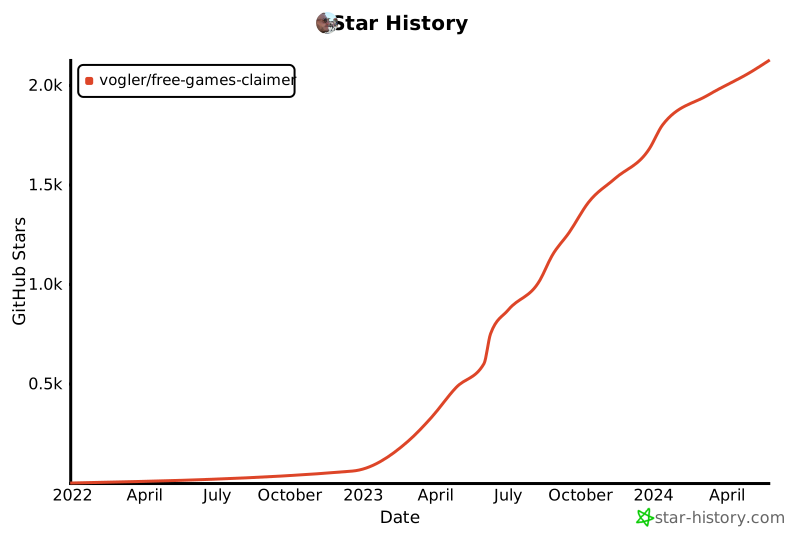](https://star-history.com/#vogler/free-games-claimer&Date)
|
||||
<!-- [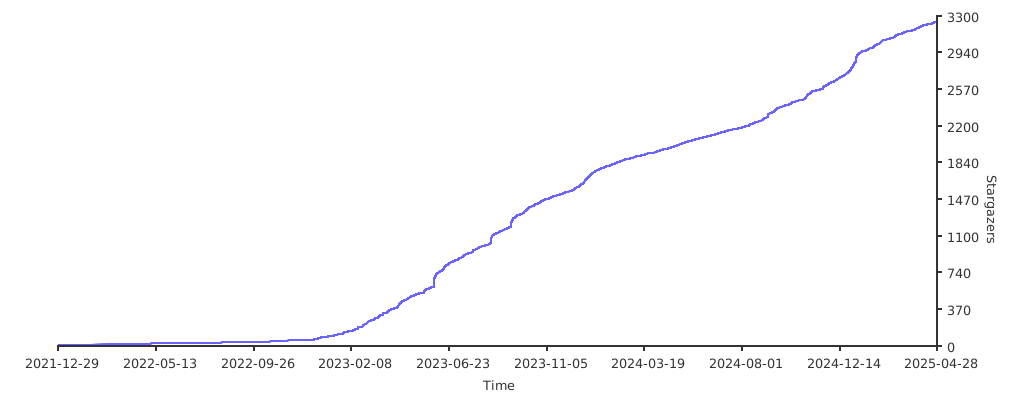](https://starchart.cc/vogler/free-games-claimer) -->
|
||||
|
||||
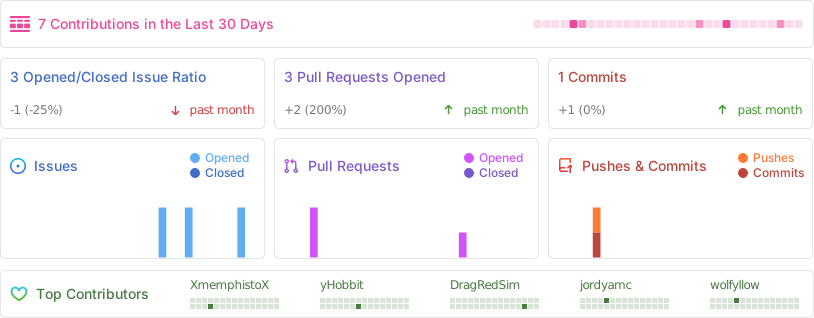
|
||||
|
||||
---
|
||||
|
||||
Logo with smaller aspect ratio (for Telegram bot etc.): 👾 - [emojipedia](https://emojipedia.org/alien-monster/)
|
||||
|
||||

|
||||
|
|
|
|||
|
|
@ -1,5 +1,5 @@
|
|||
import { firefox } from 'playwright-firefox'; // stealth plugin needs no outdated playwright-extra
|
||||
import { datetime, filenamify, prompt, handleSIGINT } from './src/util.js';
|
||||
import { datetime, filenamify, prompt, handleSIGINT, stealth } from './src/util.js';
|
||||
import { cfg } from './src/config.js';
|
||||
|
||||
// using https://github.com/apify/fingerprint-suite worked, but has no launchPersistentContext...
|
||||
|
|
@ -8,8 +8,8 @@ import { FingerprintInjector } from 'fingerprint-injector';
|
|||
import { FingerprintGenerator } from 'fingerprint-generator';
|
||||
|
||||
const { fingerprint, headers } = new FingerprintGenerator().getFingerprint({
|
||||
devices: ['mobile'],
|
||||
operatingSystems: ['android'],
|
||||
devices: ["mobile"],
|
||||
operatingSystems: ["android"],
|
||||
});
|
||||
|
||||
const context = await firefox.launchPersistentContext(cfg.dir.browser, {
|
||||
|
|
@ -36,16 +36,16 @@ context.setDefaultTimeout(cfg.debug ? 0 : cfg.timeout);
|
|||
|
||||
const page = context.pages().length ? context.pages()[0] : await context.newPage(); // should always exist
|
||||
|
||||
const auth = async url => {
|
||||
const auth = async (url) => {
|
||||
console.log('auth', url);
|
||||
await page.goto(url, { waitUntil: 'domcontentloaded' });
|
||||
// redirects to https://login.aliexpress.com/?return_url=https%3A%2F%2Fwww.aliexpress.com%2Fp%2Fcoin-pc-index%2Findex.html
|
||||
await Promise.any([page.waitForURL(url => url.includes('login.aliexpress.com')).then(async () => {
|
||||
await Promise.any([page.waitForURL(/.*login\.aliexpress.com.*/).then(async () => {
|
||||
// manual login
|
||||
console.error('Not logged in! Will wait for 120s for you to login...');
|
||||
// await page.waitForTimeout(120*1000);
|
||||
// or try automated
|
||||
page.locator('span:has-text("Switch account")').click().catch(() => {}); // sometimes no longer logged in, but previous user/email is pre-selected -> in this case we want to go back to the classic login
|
||||
page.locator('span:has-text("Switch account")').click().catch(_ => {}); // sometimes no longer logged in, but previous user/email is pre-selected -> in this case we want to go back to the classic login
|
||||
const login = page.locator('.login-container');
|
||||
const email = cfg.ae_email || await prompt({ message: 'Enter email' });
|
||||
const emailInput = login.locator('input[label="Email or phone number"]');
|
||||
|
|
@ -58,11 +58,11 @@ const auth = async url => {
|
|||
await login.locator('input[label="Password"]').fill(password);
|
||||
await login.locator('button:has-text("Sign in")').click();
|
||||
const error = login.locator('.error-text');
|
||||
error.waitFor().then(async () => console.error('Login error:', await error.innerText()));
|
||||
error.waitFor().then(async _ => console.error('Login error:', await error.innerText()));
|
||||
await page.waitForURL(url);
|
||||
// await page.addLocatorHandler(page.getByRole('button', { name: 'Accept cookies' }), btn => btn.click());
|
||||
page.getByRole('button', { name: 'Accept cookies' }).click().then(() => console.log('Accepted cookies')).catch(() => { });
|
||||
}), page.locator('#nav-user-account').waitFor()]).catch(() => {});
|
||||
page.getByRole('button', { name: 'Accept cookies' }).click().then(_ => console.log('Accepted cookies')).catch(_ => { });
|
||||
}), page.locator('#nav-user-account').waitFor()]).catch(_ => {});
|
||||
|
||||
// await page.locator('#nav-user-account').hover();
|
||||
// console.log('Logged in as:', await page.locator('.welcome-name').innerText());
|
||||
|
|
@ -80,7 +80,6 @@ const urls = {
|
|||
merge: 'https://m.aliexpress.com/p/merge-market/index.html',
|
||||
};
|
||||
|
||||
/* eslint-disable no-unused-vars */
|
||||
const coins = async () => {
|
||||
// await auth(urls.coins);
|
||||
await Promise.any([page.locator('.checkin-button').click(), page.locator('.addcoin').waitFor()]);
|
||||
|
|
@ -104,7 +103,6 @@ const euro = async () => {
|
|||
const merge = async () => {
|
||||
await page.pause();
|
||||
};
|
||||
/* eslint-enable no-unused-vars */
|
||||
|
||||
try {
|
||||
// await coins();
|
||||
|
|
@ -114,11 +112,7 @@ try {
|
|||
// gogo,
|
||||
// euro,
|
||||
merge,
|
||||
].reduce((a, f) => a.then(async () => {
|
||||
await auth(urls[f.name]);
|
||||
await f();
|
||||
console.log();
|
||||
}), Promise.resolve());
|
||||
].reduce((a, f) => a.then(async _ => { await auth(urls[f.name]); await f(); console.log() }), Promise.resolve());
|
||||
|
||||
// await page.pause();
|
||||
} catch (error) {
|
||||
|
|
|
|||
168
package-lock.json
generated
168
package-lock.json
generated
|
|
@ -13,7 +13,7 @@
|
|||
"cross-env": "^7.0.3",
|
||||
"dotenv": "^16.5.0",
|
||||
"enquirer": "^2.4.1",
|
||||
"fingerprint-injector": "^2.1.66",
|
||||
"fingerprint-injector": "^2.1.75",
|
||||
"lowdb": "^7.0.1",
|
||||
"otplib": "^12.0.1",
|
||||
"playwright-firefox": "^1.52.0",
|
||||
|
|
@ -273,7 +273,6 @@
|
|||
"version": "4.6.0",
|
||||
"resolved": "https://registry.npmjs.org/@sindresorhus/is/-/is-4.6.0.tgz",
|
||||
"integrity": "sha512-t09vSN3MdfsyCHoFcTRCH/iUtG7OJ0CsjzB8cjAmKc/va/kIgeDI/TxsigdncE/4be734m0cvIYwNaV4i2XqAw==",
|
||||
"license": "MIT",
|
||||
"engines": {
|
||||
"node": ">=10"
|
||||
},
|
||||
|
|
@ -377,7 +376,6 @@
|
|||
"version": "0.5.16",
|
||||
"resolved": "https://registry.npmjs.org/adm-zip/-/adm-zip-0.5.16.tgz",
|
||||
"integrity": "sha512-TGw5yVi4saajsSEgz25grObGHEUaDrniwvA2qwSC060KfqGPdglhvPMA2lPIoxs3PQIItj2iag35fONcQqgUaQ==",
|
||||
"license": "MIT",
|
||||
"engines": {
|
||||
"node": ">=12.0"
|
||||
}
|
||||
|
|
@ -451,6 +449,14 @@
|
|||
"resolved": "https://registry.npmjs.org/balanced-match/-/balanced-match-1.0.2.tgz",
|
||||
"integrity": "sha512-3oSeUO0TMV67hN1AmbXsK4yaqU7tjiHlbxRDZOpH0KW9+CeX4bRAaX0Anxt0tx2MrpRpWwQaPwIlISEJhYU5Pw=="
|
||||
},
|
||||
"node_modules/baseline-browser-mapping": {
|
||||
"version": "2.8.18",
|
||||
"resolved": "https://registry.npmjs.org/baseline-browser-mapping/-/baseline-browser-mapping-2.8.18.tgz",
|
||||
"integrity": "sha512-UYmTpOBwgPScZpS4A+YbapwWuBwasxvO/2IOHArSsAhL/+ZdmATBXTex3t+l2hXwLVYK382ibr/nKoY9GKe86w==",
|
||||
"bin": {
|
||||
"baseline-browser-mapping": "dist/cli.js"
|
||||
}
|
||||
},
|
||||
"node_modules/body-parser": {
|
||||
"version": "2.2.0",
|
||||
"resolved": "https://registry.npmjs.org/body-parser/-/body-parser-2.2.0.tgz",
|
||||
|
|
@ -482,9 +488,9 @@
|
|||
}
|
||||
},
|
||||
"node_modules/browserslist": {
|
||||
"version": "4.24.5",
|
||||
"resolved": "https://registry.npmjs.org/browserslist/-/browserslist-4.24.5.tgz",
|
||||
"integrity": "sha512-FDToo4Wo82hIdgc1CQ+NQD0hEhmpPjrZ3hiUgwgOG6IuTdlpr8jdjyG24P6cNP1yJpTLzS5OcGgSw0xmDU1/Tw==",
|
||||
"version": "4.26.3",
|
||||
"resolved": "https://registry.npmjs.org/browserslist/-/browserslist-4.26.3.tgz",
|
||||
"integrity": "sha512-lAUU+02RFBuCKQPj/P6NgjlbCnLBMp4UtgTx7vNHd3XSIJF87s9a5rA3aH2yw3GS9DqZAUbOtZdCCiZeVRqt0w==",
|
||||
"funding": [
|
||||
{
|
||||
"type": "opencollective",
|
||||
|
|
@ -499,11 +505,11 @@
|
|||
"url": "https://github.com/sponsors/ai"
|
||||
}
|
||||
],
|
||||
"license": "MIT",
|
||||
"dependencies": {
|
||||
"caniuse-lite": "^1.0.30001716",
|
||||
"electron-to-chromium": "^1.5.149",
|
||||
"node-releases": "^2.0.19",
|
||||
"baseline-browser-mapping": "^2.8.9",
|
||||
"caniuse-lite": "^1.0.30001746",
|
||||
"electron-to-chromium": "^1.5.227",
|
||||
"node-releases": "^2.0.21",
|
||||
"update-browserslist-db": "^1.1.3"
|
||||
},
|
||||
"bin": {
|
||||
|
|
@ -564,9 +570,9 @@
|
|||
}
|
||||
},
|
||||
"node_modules/caniuse-lite": {
|
||||
"version": "1.0.30001717",
|
||||
"resolved": "https://registry.npmjs.org/caniuse-lite/-/caniuse-lite-1.0.30001717.tgz",
|
||||
"integrity": "sha512-auPpttCq6BDEG8ZAuHJIplGw6GODhjw+/11e7IjpnYCxZcW/ONgPs0KVBJ0d1bY3e2+7PRe5RCLyP+PfwVgkYw==",
|
||||
"version": "1.0.30001751",
|
||||
"resolved": "https://registry.npmjs.org/caniuse-lite/-/caniuse-lite-1.0.30001751.tgz",
|
||||
"integrity": "sha512-A0QJhug0Ly64Ii3eIqHu5X51ebln3k4yTUkY1j8drqpWHVreg/VLijN48cZ1bYPiqOQuqpkIKnzr/Ul8V+p6Cw==",
|
||||
"funding": [
|
||||
{
|
||||
"type": "opencollective",
|
||||
|
|
@ -580,8 +586,7 @@
|
|||
"type": "github",
|
||||
"url": "https://github.com/sponsors/ai"
|
||||
}
|
||||
],
|
||||
"license": "CC-BY-4.0"
|
||||
]
|
||||
},
|
||||
"node_modules/chalk": {
|
||||
"version": "5.4.1",
|
||||
|
|
@ -766,7 +771,6 @@
|
|||
"version": "6.0.1",
|
||||
"resolved": "https://registry.npmjs.org/dot-prop/-/dot-prop-6.0.1.tgz",
|
||||
"integrity": "sha512-tE7ztYzXHIeyvc7N+hR3oi7FIbf/NIjVP9hmAt3yMXzrQ072/fpjGLx2GxNxGxUl5V73MEqYzioOMoVhGMJ5cA==",
|
||||
"license": "MIT",
|
||||
"dependencies": {
|
||||
"is-obj": "^2.0.0"
|
||||
},
|
||||
|
|
@ -812,10 +816,9 @@
|
|||
"license": "MIT"
|
||||
},
|
||||
"node_modules/electron-to-chromium": {
|
||||
"version": "1.5.150",
|
||||
"resolved": "https://registry.npmjs.org/electron-to-chromium/-/electron-to-chromium-1.5.150.tgz",
|
||||
"integrity": "sha512-rOOkP2ZUMx1yL4fCxXQKDHQ8ZXwisb2OycOQVKHgvB3ZI4CvehOd4y2tfnnLDieJ3Zs1RL1Dlp3cMkyIn7nnXA==",
|
||||
"license": "ISC"
|
||||
"version": "1.5.237",
|
||||
"resolved": "https://registry.npmjs.org/electron-to-chromium/-/electron-to-chromium-1.5.237.tgz",
|
||||
"integrity": "sha512-icUt1NvfhGLar5lSWH3tHNzablaA5js3HVHacQimfP8ViEBOQv+L7DKEuHdbTZ0SKCO1ogTJTIL1Gwk9S6Qvcg=="
|
||||
},
|
||||
"node_modules/encodeurl": {
|
||||
"version": "2.0.0",
|
||||
|
|
@ -876,7 +879,6 @@
|
|||
"version": "3.2.0",
|
||||
"resolved": "https://registry.npmjs.org/escalade/-/escalade-3.2.0.tgz",
|
||||
"integrity": "sha512-WUj2qlxaQtO4g6Pq5c29GTcWGDyd8itL8zTlipgECz3JesAiiOKotd8JU6otB3PACgG6xkJUyVhboMS+bje/jA==",
|
||||
"license": "MIT",
|
||||
"engines": {
|
||||
"node": ">=6"
|
||||
}
|
||||
|
|
@ -1266,13 +1268,12 @@
|
|||
}
|
||||
},
|
||||
"node_modules/fingerprint-generator": {
|
||||
"version": "2.1.66",
|
||||
"resolved": "https://registry.npmjs.org/fingerprint-generator/-/fingerprint-generator-2.1.66.tgz",
|
||||
"integrity": "sha512-2CvoY+OPcCOWkoIMQim80uNH+ED1+2rM9QXIcSih7ovBMLOmyr3Sp9IOtfccd05QlGDzulU2M9Oav8jOgTlCBA==",
|
||||
"license": "Apache-2.0",
|
||||
"version": "2.1.75",
|
||||
"resolved": "https://registry.npmjs.org/fingerprint-generator/-/fingerprint-generator-2.1.75.tgz",
|
||||
"integrity": "sha512-3dJr2d0GktMAupjRigYs6sXDeZ56zATPcsYfBcp9n4bvhxl3NnWAgdocEdiezi4vKXacoeeh3jNs+i5ReTjgvw==",
|
||||
"dependencies": {
|
||||
"generative-bayesian-network": "^2.1.66",
|
||||
"header-generator": "^2.1.66",
|
||||
"generative-bayesian-network": "^2.1.75",
|
||||
"header-generator": "^2.1.75",
|
||||
"tslib": "^2.4.0"
|
||||
},
|
||||
"engines": {
|
||||
|
|
@ -1280,12 +1281,11 @@
|
|||
}
|
||||
},
|
||||
"node_modules/fingerprint-injector": {
|
||||
"version": "2.1.66",
|
||||
"resolved": "https://registry.npmjs.org/fingerprint-injector/-/fingerprint-injector-2.1.66.tgz",
|
||||
"integrity": "sha512-h5llsoG0xoDeEo2czjzvo1niEU0xgCMwhs5/jtAxiBf7IiP/wW1Is3DJMEB+4V4PwIvqNQqLlnD07X23D7tErA==",
|
||||
"license": "Apache-2.0",
|
||||
"version": "2.1.75",
|
||||
"resolved": "https://registry.npmjs.org/fingerprint-injector/-/fingerprint-injector-2.1.75.tgz",
|
||||
"integrity": "sha512-TDylxXZV805MtZzKBFWWzqFCzNq4rmAVaHZf8TztgSix6Arc3l8hfyg9fcOMx8rpF4odjVuFIRzEH7rscLPQew==",
|
||||
"dependencies": {
|
||||
"fingerprint-generator": "^2.1.66",
|
||||
"fingerprint-generator": "^2.1.75",
|
||||
"tslib": "^2.4.0"
|
||||
},
|
||||
"engines": {
|
||||
|
|
@ -1397,10 +1397,9 @@
|
|||
}
|
||||
},
|
||||
"node_modules/generative-bayesian-network": {
|
||||
"version": "2.1.66",
|
||||
"resolved": "https://registry.npmjs.org/generative-bayesian-network/-/generative-bayesian-network-2.1.66.tgz",
|
||||
"integrity": "sha512-gbBsyaaEJj/LHp3473TQrMDdcKiRzI8Sn2CbcG/lwONZkp0n9/ChC1mjzcbZQtHHCuqjn+JouSSbzLeepUMbuw==",
|
||||
"license": "Apache-2.0",
|
||||
"version": "2.1.75",
|
||||
"resolved": "https://registry.npmjs.org/generative-bayesian-network/-/generative-bayesian-network-2.1.75.tgz",
|
||||
"integrity": "sha512-B8B6l7B1tFYvbPNq65vMibLhAfUqyBCGPx3+9VHf2V0hc95LuZIXSlhMOy/zHkfFualU5HJSTi0Nv6EZ2Lq6fA==",
|
||||
"dependencies": {
|
||||
"adm-zip": "^0.5.9",
|
||||
"tslib": "^2.4.0"
|
||||
|
|
@ -1546,13 +1545,12 @@
|
|||
}
|
||||
},
|
||||
"node_modules/header-generator": {
|
||||
"version": "2.1.66",
|
||||
"resolved": "https://registry.npmjs.org/header-generator/-/header-generator-2.1.66.tgz",
|
||||
"integrity": "sha512-g0jd79o0CyzyK0Jega4pAG1eJhykhPNfBLpOnUINtX2YkToVvRSBZ+B2wtmIjqwKHXK8DNWxylKuXnZmLs1yMQ==",
|
||||
"license": "Apache-2.0",
|
||||
"version": "2.1.75",
|
||||
"resolved": "https://registry.npmjs.org/header-generator/-/header-generator-2.1.75.tgz",
|
||||
"integrity": "sha512-IUyoYkL1eMt788nahD3tiw+A4AZ1mhVIWorHiXnS4rBMIeJ4C4HwoOvSKRkElKIvpKqwpkNO6BGvkPuVsKYRYw==",
|
||||
"dependencies": {
|
||||
"browserslist": "^4.21.1",
|
||||
"generative-bayesian-network": "^2.1.66",
|
||||
"generative-bayesian-network": "^2.1.75",
|
||||
"ow": "^0.28.1",
|
||||
"tslib": "^2.4.0"
|
||||
},
|
||||
|
|
@ -1693,7 +1691,6 @@
|
|||
"version": "2.0.0",
|
||||
"resolved": "https://registry.npmjs.org/is-obj/-/is-obj-2.0.0.tgz",
|
||||
"integrity": "sha512-drqDG3cbczxxEJRoOXcOjtdp1J/lyp1mNn0xaznRs8+muBhgQcrnbspox5X5fOw0HnMnbfDzvnEMEtqDEJEo8w==",
|
||||
"license": "MIT",
|
||||
"engines": {
|
||||
"node": ">=8"
|
||||
}
|
||||
|
|
@ -1839,8 +1836,7 @@
|
|||
"version": "4.5.0",
|
||||
"resolved": "https://registry.npmjs.org/lodash.isequal/-/lodash.isequal-4.5.0.tgz",
|
||||
"integrity": "sha512-pDo3lu8Jhfjqls6GkMgpahsF9kCyayhgykjyLMNFTKWrpVdAQtYyB4muAMWozBB4ig/dtWAmsMxLEI8wuz+DYQ==",
|
||||
"deprecated": "This package is deprecated. Use require('node:util').isDeepStrictEqual instead.",
|
||||
"license": "MIT"
|
||||
"deprecated": "This package is deprecated. Use require('node:util').isDeepStrictEqual instead."
|
||||
},
|
||||
"node_modules/lodash.merge": {
|
||||
"version": "4.6.2",
|
||||
|
|
@ -1989,10 +1985,9 @@
|
|||
}
|
||||
},
|
||||
"node_modules/node-releases": {
|
||||
"version": "2.0.19",
|
||||
"resolved": "https://registry.npmjs.org/node-releases/-/node-releases-2.0.19.tgz",
|
||||
"integrity": "sha512-xxOWJsBKtzAq7DY0J+DTzuz58K8e7sJbdgwkbMWQe8UYB6ekmsQ45q0M/tJDsGaZmbC+l7n57UV8Hl5tHxO9uw==",
|
||||
"license": "MIT"
|
||||
"version": "2.0.25",
|
||||
"resolved": "https://registry.npmjs.org/node-releases/-/node-releases-2.0.25.tgz",
|
||||
"integrity": "sha512-4auku8B/vw5psvTiiN9j1dAOsXvMoGqJuKJcR+dTdqiXEK20mMTk1UEo3HS16LeGQsVG6+qKTPM9u/qQ2LqATA=="
|
||||
},
|
||||
"node_modules/object-assign": {
|
||||
"version": "4.1.1",
|
||||
|
|
@ -2070,7 +2065,6 @@
|
|||
"version": "0.28.2",
|
||||
"resolved": "https://registry.npmjs.org/ow/-/ow-0.28.2.tgz",
|
||||
"integrity": "sha512-dD4UpyBh/9m4X2NVjA+73/ZPBRF+uF4zIMFvvQsabMiEK8x41L3rQ8EENOi35kyyoaJwNxEeJcP6Fj1H4U409Q==",
|
||||
"license": "MIT",
|
||||
"dependencies": {
|
||||
"@sindresorhus/is": "^4.2.0",
|
||||
"callsites": "^3.1.0",
|
||||
|
|
@ -2177,8 +2171,7 @@
|
|||
"node_modules/picocolors": {
|
||||
"version": "1.1.1",
|
||||
"resolved": "https://registry.npmjs.org/picocolors/-/picocolors-1.1.1.tgz",
|
||||
"integrity": "sha512-xceH2snhtb5M9liqDsmEw56le376mTZkEX/jEb/RxNFyegNul7eNslCXP9FDj/Lcu0X8KEyMceP2ntpaHrDEVA==",
|
||||
"license": "ISC"
|
||||
"integrity": "sha512-xceH2snhtb5M9liqDsmEw56le376mTZkEX/jEb/RxNFyegNul7eNslCXP9FDj/Lcu0X8KEyMceP2ntpaHrDEVA=="
|
||||
},
|
||||
"node_modules/pkce-challenge": {
|
||||
"version": "5.0.0",
|
||||
|
|
@ -2726,8 +2719,7 @@
|
|||
"node_modules/tslib": {
|
||||
"version": "2.8.1",
|
||||
"resolved": "https://registry.npmjs.org/tslib/-/tslib-2.8.1.tgz",
|
||||
"integrity": "sha512-oJFu94HQb+KVduSUQL7wnpmqnfmLsOA/nAh6b6EH0wCEoK0/mPeXU6c3wKDV83MkOuHPRHtSXKKU99IBazS/2w==",
|
||||
"license": "0BSD"
|
||||
"integrity": "sha512-oJFu94HQb+KVduSUQL7wnpmqnfmLsOA/nAh6b6EH0wCEoK0/mPeXU6c3wKDV83MkOuHPRHtSXKKU99IBazS/2w=="
|
||||
},
|
||||
"node_modules/type-check": {
|
||||
"version": "0.4.0",
|
||||
|
|
@ -2793,7 +2785,6 @@
|
|||
"url": "https://github.com/sponsors/ai"
|
||||
}
|
||||
],
|
||||
"license": "MIT",
|
||||
"dependencies": {
|
||||
"escalade": "^3.2.0",
|
||||
"picocolors": "^1.1.1"
|
||||
|
|
@ -2819,7 +2810,6 @@
|
|||
"version": "1.0.0",
|
||||
"resolved": "https://registry.npmjs.org/vali-date/-/vali-date-1.0.0.tgz",
|
||||
"integrity": "sha512-sgECfZthyaCKW10N0fm27cg8HYTFK5qMWgypqkXMQ4Wbl/zZKx7xZICgcoxIIE+WFAP/MBL2EFwC/YvLxw3Zeg==",
|
||||
"license": "MIT",
|
||||
"engines": {
|
||||
"node": ">=0.10.0"
|
||||
}
|
||||
|
|
@ -3185,6 +3175,11 @@
|
|||
"resolved": "https://registry.npmjs.org/balanced-match/-/balanced-match-1.0.2.tgz",
|
||||
"integrity": "sha512-3oSeUO0TMV67hN1AmbXsK4yaqU7tjiHlbxRDZOpH0KW9+CeX4bRAaX0Anxt0tx2MrpRpWwQaPwIlISEJhYU5Pw=="
|
||||
},
|
||||
"baseline-browser-mapping": {
|
||||
"version": "2.8.18",
|
||||
"resolved": "https://registry.npmjs.org/baseline-browser-mapping/-/baseline-browser-mapping-2.8.18.tgz",
|
||||
"integrity": "sha512-UYmTpOBwgPScZpS4A+YbapwWuBwasxvO/2IOHArSsAhL/+ZdmATBXTex3t+l2hXwLVYK382ibr/nKoY9GKe86w=="
|
||||
},
|
||||
"body-parser": {
|
||||
"version": "2.2.0",
|
||||
"resolved": "https://registry.npmjs.org/body-parser/-/body-parser-2.2.0.tgz",
|
||||
|
|
@ -3212,13 +3207,14 @@
|
|||
}
|
||||
},
|
||||
"browserslist": {
|
||||
"version": "4.24.5",
|
||||
"resolved": "https://registry.npmjs.org/browserslist/-/browserslist-4.24.5.tgz",
|
||||
"integrity": "sha512-FDToo4Wo82hIdgc1CQ+NQD0hEhmpPjrZ3hiUgwgOG6IuTdlpr8jdjyG24P6cNP1yJpTLzS5OcGgSw0xmDU1/Tw==",
|
||||
"version": "4.26.3",
|
||||
"resolved": "https://registry.npmjs.org/browserslist/-/browserslist-4.26.3.tgz",
|
||||
"integrity": "sha512-lAUU+02RFBuCKQPj/P6NgjlbCnLBMp4UtgTx7vNHd3XSIJF87s9a5rA3aH2yw3GS9DqZAUbOtZdCCiZeVRqt0w==",
|
||||
"requires": {
|
||||
"caniuse-lite": "^1.0.30001716",
|
||||
"electron-to-chromium": "^1.5.149",
|
||||
"node-releases": "^2.0.19",
|
||||
"baseline-browser-mapping": "^2.8.9",
|
||||
"caniuse-lite": "^1.0.30001746",
|
||||
"electron-to-chromium": "^1.5.227",
|
||||
"node-releases": "^2.0.21",
|
||||
"update-browserslist-db": "^1.1.3"
|
||||
}
|
||||
},
|
||||
|
|
@ -3254,9 +3250,9 @@
|
|||
"integrity": "sha512-P8BjAsXvZS+VIDUI11hHCQEv74YT67YUi5JJFNWIqL235sBmjX4+qx9Muvls5ivyNENctx46xQLQ3aTuE7ssaQ=="
|
||||
},
|
||||
"caniuse-lite": {
|
||||
"version": "1.0.30001717",
|
||||
"resolved": "https://registry.npmjs.org/caniuse-lite/-/caniuse-lite-1.0.30001717.tgz",
|
||||
"integrity": "sha512-auPpttCq6BDEG8ZAuHJIplGw6GODhjw+/11e7IjpnYCxZcW/ONgPs0KVBJ0d1bY3e2+7PRe5RCLyP+PfwVgkYw=="
|
||||
"version": "1.0.30001751",
|
||||
"resolved": "https://registry.npmjs.org/caniuse-lite/-/caniuse-lite-1.0.30001751.tgz",
|
||||
"integrity": "sha512-A0QJhug0Ly64Ii3eIqHu5X51ebln3k4yTUkY1j8drqpWHVreg/VLijN48cZ1bYPiqOQuqpkIKnzr/Ul8V+p6Cw=="
|
||||
},
|
||||
"chalk": {
|
||||
"version": "5.4.1",
|
||||
|
|
@ -3406,9 +3402,9 @@
|
|||
"dev": true
|
||||
},
|
||||
"electron-to-chromium": {
|
||||
"version": "1.5.150",
|
||||
"resolved": "https://registry.npmjs.org/electron-to-chromium/-/electron-to-chromium-1.5.150.tgz",
|
||||
"integrity": "sha512-rOOkP2ZUMx1yL4fCxXQKDHQ8ZXwisb2OycOQVKHgvB3ZI4CvehOd4y2tfnnLDieJ3Zs1RL1Dlp3cMkyIn7nnXA=="
|
||||
"version": "1.5.237",
|
||||
"resolved": "https://registry.npmjs.org/electron-to-chromium/-/electron-to-chromium-1.5.237.tgz",
|
||||
"integrity": "sha512-icUt1NvfhGLar5lSWH3tHNzablaA5js3HVHacQimfP8ViEBOQv+L7DKEuHdbTZ0SKCO1ogTJTIL1Gwk9S6Qvcg=="
|
||||
},
|
||||
"encodeurl": {
|
||||
"version": "2.0.0",
|
||||
|
|
@ -3712,21 +3708,21 @@
|
|||
}
|
||||
},
|
||||
"fingerprint-generator": {
|
||||
"version": "2.1.66",
|
||||
"resolved": "https://registry.npmjs.org/fingerprint-generator/-/fingerprint-generator-2.1.66.tgz",
|
||||
"integrity": "sha512-2CvoY+OPcCOWkoIMQim80uNH+ED1+2rM9QXIcSih7ovBMLOmyr3Sp9IOtfccd05QlGDzulU2M9Oav8jOgTlCBA==",
|
||||
"version": "2.1.75",
|
||||
"resolved": "https://registry.npmjs.org/fingerprint-generator/-/fingerprint-generator-2.1.75.tgz",
|
||||
"integrity": "sha512-3dJr2d0GktMAupjRigYs6sXDeZ56zATPcsYfBcp9n4bvhxl3NnWAgdocEdiezi4vKXacoeeh3jNs+i5ReTjgvw==",
|
||||
"requires": {
|
||||
"generative-bayesian-network": "^2.1.66",
|
||||
"header-generator": "^2.1.66",
|
||||
"generative-bayesian-network": "^2.1.75",
|
||||
"header-generator": "^2.1.75",
|
||||
"tslib": "^2.4.0"
|
||||
}
|
||||
},
|
||||
"fingerprint-injector": {
|
||||
"version": "2.1.66",
|
||||
"resolved": "https://registry.npmjs.org/fingerprint-injector/-/fingerprint-injector-2.1.66.tgz",
|
||||
"integrity": "sha512-h5llsoG0xoDeEo2czjzvo1niEU0xgCMwhs5/jtAxiBf7IiP/wW1Is3DJMEB+4V4PwIvqNQqLlnD07X23D7tErA==",
|
||||
"version": "2.1.75",
|
||||
"resolved": "https://registry.npmjs.org/fingerprint-injector/-/fingerprint-injector-2.1.75.tgz",
|
||||
"integrity": "sha512-TDylxXZV805MtZzKBFWWzqFCzNq4rmAVaHZf8TztgSix6Arc3l8hfyg9fcOMx8rpF4odjVuFIRzEH7rscLPQew==",
|
||||
"requires": {
|
||||
"fingerprint-generator": "^2.1.66",
|
||||
"fingerprint-generator": "^2.1.75",
|
||||
"tslib": "^2.4.0"
|
||||
}
|
||||
},
|
||||
|
|
@ -3793,9 +3789,9 @@
|
|||
"dev": true
|
||||
},
|
||||
"generative-bayesian-network": {
|
||||
"version": "2.1.66",
|
||||
"resolved": "https://registry.npmjs.org/generative-bayesian-network/-/generative-bayesian-network-2.1.66.tgz",
|
||||
"integrity": "sha512-gbBsyaaEJj/LHp3473TQrMDdcKiRzI8Sn2CbcG/lwONZkp0n9/ChC1mjzcbZQtHHCuqjn+JouSSbzLeepUMbuw==",
|
||||
"version": "2.1.75",
|
||||
"resolved": "https://registry.npmjs.org/generative-bayesian-network/-/generative-bayesian-network-2.1.75.tgz",
|
||||
"integrity": "sha512-B8B6l7B1tFYvbPNq65vMibLhAfUqyBCGPx3+9VHf2V0hc95LuZIXSlhMOy/zHkfFualU5HJSTi0Nv6EZ2Lq6fA==",
|
||||
"requires": {
|
||||
"adm-zip": "^0.5.9",
|
||||
"tslib": "^2.4.0"
|
||||
|
|
@ -3890,12 +3886,12 @@
|
|||
}
|
||||
},
|
||||
"header-generator": {
|
||||
"version": "2.1.66",
|
||||
"resolved": "https://registry.npmjs.org/header-generator/-/header-generator-2.1.66.tgz",
|
||||
"integrity": "sha512-g0jd79o0CyzyK0Jega4pAG1eJhykhPNfBLpOnUINtX2YkToVvRSBZ+B2wtmIjqwKHXK8DNWxylKuXnZmLs1yMQ==",
|
||||
"version": "2.1.75",
|
||||
"resolved": "https://registry.npmjs.org/header-generator/-/header-generator-2.1.75.tgz",
|
||||
"integrity": "sha512-IUyoYkL1eMt788nahD3tiw+A4AZ1mhVIWorHiXnS4rBMIeJ4C4HwoOvSKRkElKIvpKqwpkNO6BGvkPuVsKYRYw==",
|
||||
"requires": {
|
||||
"browserslist": "^4.21.1",
|
||||
"generative-bayesian-network": "^2.1.66",
|
||||
"generative-bayesian-network": "^2.1.75",
|
||||
"ow": "^0.28.1",
|
||||
"tslib": "^2.4.0"
|
||||
}
|
||||
|
|
@ -4199,9 +4195,9 @@
|
|||
"dev": true
|
||||
},
|
||||
"node-releases": {
|
||||
"version": "2.0.19",
|
||||
"resolved": "https://registry.npmjs.org/node-releases/-/node-releases-2.0.19.tgz",
|
||||
"integrity": "sha512-xxOWJsBKtzAq7DY0J+DTzuz58K8e7sJbdgwkbMWQe8UYB6ekmsQ45q0M/tJDsGaZmbC+l7n57UV8Hl5tHxO9uw=="
|
||||
"version": "2.0.25",
|
||||
"resolved": "https://registry.npmjs.org/node-releases/-/node-releases-2.0.25.tgz",
|
||||
"integrity": "sha512-4auku8B/vw5psvTiiN9j1dAOsXvMoGqJuKJcR+dTdqiXEK20mMTk1UEo3HS16LeGQsVG6+qKTPM9u/qQ2LqATA=="
|
||||
},
|
||||
"object-assign": {
|
||||
"version": "4.1.1",
|
||||
|
|
|
|||
|
|
@ -24,7 +24,7 @@
|
|||
"cross-env": "^7.0.3",
|
||||
"dotenv": "^16.5.0",
|
||||
"enquirer": "^2.4.1",
|
||||
"fingerprint-injector": "^2.1.66",
|
||||
"fingerprint-injector": "^2.1.75",
|
||||
"lowdb": "^7.0.1",
|
||||
"otplib": "^12.0.1",
|
||||
"playwright-firefox": "^1.52.0",
|
||||
|
|
|
|||
378
prime-gaming.js
378
prime-gaming.js
|
|
@ -7,7 +7,7 @@ import { cfg } from './src/config.js';
|
|||
const screenshot = (...a) => resolve(cfg.dir.screenshots, 'prime-gaming', ...a);
|
||||
|
||||
// const URL_LOGIN = 'https://www.amazon.de/ap/signin'; // wrong. needs some session args to be valid?
|
||||
const URL_CLAIM = 'https://luna.amazon.com/claims/home';
|
||||
const URL_CLAIM = 'https://gaming.amazon.com/home';
|
||||
|
||||
console.log(datetime(), 'started checking prime-gaming');
|
||||
|
||||
|
|
@ -37,62 +37,12 @@ await page.setViewportSize({ width: cfg.width, height: cfg.height }); // TODO wo
|
|||
const notify_games = [];
|
||||
let user;
|
||||
|
||||
const handleMFA = async p => {
|
||||
const otpField = p.locator('#auth-mfa-otpcode, input[name=otpCode]');
|
||||
if (!await otpField.count()) return false;
|
||||
console.log('Two-Step Verification - enter the One Time Password (OTP), e.g. generated by your Authenticator App');
|
||||
await p.locator('#auth-mfa-remember-device, [name=rememberDevice]').check().catch(() => {});
|
||||
const otp = cfg.pg_otpkey && authenticator.generate(cfg.pg_otpkey) || await prompt({ type: 'text', message: 'Enter two-factor sign in code', validate: n => n.toString().length == 6 || 'The code must be 6 digits!' }); // can't use type: 'number' since it strips away leading zeros and codes sometimes have them
|
||||
await otpField.first().pressSequentially(otp.toString());
|
||||
await p.locator('input[type="submit"], button[type="submit"]').first().click();
|
||||
return true;
|
||||
};
|
||||
|
||||
try {
|
||||
await page.goto(URL_CLAIM, { waitUntil: 'domcontentloaded' }); // default 'load' takes forever
|
||||
const handleDirectLoginPage = async () => {
|
||||
if (!page.url().includes('/ap/signin')) return false;
|
||||
console.log('On Amazon login page (redirect). Trying to sign in automatically.');
|
||||
if (!cfg.debug) context.setDefaultTimeout(cfg.login_timeout);
|
||||
const email = cfg.pg_email || await prompt({ message: 'Enter email' });
|
||||
const password = email && (cfg.pg_password || await prompt({ type: 'password', message: 'Enter password' }));
|
||||
if (email && password) {
|
||||
await page.fill('[name=email]', email);
|
||||
await page.click('input[type="submit"]');
|
||||
await page.fill('[name=password]', password);
|
||||
await page.click('input[type="submit"]');
|
||||
await handleMFA(page).catch(() => {});
|
||||
page.waitForURL('**/ap/signin**').then(async () => { // check for wrong credentials
|
||||
const error = await page.locator('.a-alert-content').first().innerText();
|
||||
if (!error.trim.length) return;
|
||||
console.error('Login error:', error);
|
||||
await notify(`prime-gaming: login: ${error}`);
|
||||
await context.close(); // finishes potential recording
|
||||
process.exit(1);
|
||||
});
|
||||
await page.waitForURL(/luna\.amazon\.com\/claims\/.*signedIn=true/);
|
||||
if (!cfg.debug) context.setDefaultTimeout(cfg.timeout);
|
||||
return true;
|
||||
} else {
|
||||
console.log('Waiting for manual login on redirect page.');
|
||||
if (cfg.headless) {
|
||||
console.log('Run `SHOW=1 node prime-gaming` to login in the opened browser.');
|
||||
await context.close(); // finishes potential recording
|
||||
process.exit(1);
|
||||
}
|
||||
return true;
|
||||
}
|
||||
};
|
||||
await handleDirectLoginPage();
|
||||
// need to wait for some elements to exist before checking if signed in or accepting cookies:
|
||||
await Promise.any([
|
||||
'button:has-text("Sign in")',
|
||||
'button:has-text("Anmelden")',
|
||||
'[data-a-target="user-dropdown-first-name-text"]',
|
||||
'[data-testid="user-dropdown-first-name-text"]',
|
||||
].map(s => page.waitForSelector(s)));
|
||||
page.click('[aria-label="Cookies usage disclaimer banner"] button:has-text("Accept Cookies")').catch(() => { }); // to not waste screen space when non-headless, TODO does not work reliably, need to wait for something else first?
|
||||
while (await page.locator('button:has-text("Sign in"), button:has-text("Anmelden")').count() > 0) {
|
||||
await Promise.any(['button:has-text("Sign in")', '[data-a-target="user-dropdown-first-name-text"]'].map(s => page.waitForSelector(s)));
|
||||
page.click('[aria-label="Cookies usage disclaimer banner"] button:has-text("Accept Cookies")').catch(_ => { }); // to not waste screen space when non-headless, TODO does not work reliably, need to wait for something else first?
|
||||
while (await page.locator('button:has-text("Sign in")').count() > 0) {
|
||||
console.error('Not signed in anymore.');
|
||||
await page.click('button:has-text("Sign in")');
|
||||
if (!cfg.debug) context.setDefaultTimeout(cfg.login_timeout); // give user some extra time to log in
|
||||
|
|
@ -115,7 +65,14 @@ try {
|
|||
await context.close(); // finishes potential recording
|
||||
process.exit(1);
|
||||
});
|
||||
handleMFA(page).catch(() => {});
|
||||
// handle MFA, but don't await it
|
||||
page.waitForURL('**/ap/mfa**').then(async () => {
|
||||
console.log('Two-Step Verification - enter the One Time Password (OTP), e.g. generated by your Authenticator App');
|
||||
await page.check('[name=rememberDevice]');
|
||||
const otp = cfg.pg_otpkey && authenticator.generate(cfg.pg_otpkey) || await prompt({ type: 'text', message: 'Enter two-factor sign in code', validate: n => n.toString().length == 6 || 'The code must be 6 digits!' }); // can't use type: 'number' since it strips away leading zeros and codes sometimes have them
|
||||
await page.locator('input[name=otpCode]').pressSequentially(otp.toString());
|
||||
await page.click('input[type="submit"]');
|
||||
}).catch(_ => { });
|
||||
} else {
|
||||
console.log('Waiting for you to login in the browser.');
|
||||
await notify('prime-gaming: no longer signed in and not enough options set for automatic login.');
|
||||
|
|
@ -128,7 +85,7 @@ try {
|
|||
await page.waitForURL('https://gaming.amazon.com/home?signedIn=true');
|
||||
if (!cfg.debug) context.setDefaultTimeout(cfg.timeout);
|
||||
}
|
||||
user = await page.locator('[data-a-target="user-dropdown-first-name-text"], [data-testid="user-dropdown-first-name-text"]').first().innerText();
|
||||
user = await page.locator('[data-a-target="user-dropdown-first-name-text"]').first().innerText();
|
||||
console.log(`Signed in as ${user}`);
|
||||
// await page.click('button[aria-label="User dropdown and more options"]');
|
||||
// const twitch = await page.locator('[data-a-target="TwitchDisplayName"]').first().innerText();
|
||||
|
|
@ -162,292 +119,80 @@ try {
|
|||
await page.waitForTimeout(3000);
|
||||
});
|
||||
|
||||
const openGamesTab = async () => {
|
||||
const selectors = [
|
||||
'button[data-type="Game"]', // old layout
|
||||
'button:has-text("Games")',
|
||||
'button:has-text("Games einlösen")',
|
||||
'[data-test-selector="category-picker"] button:has-text("Games")',
|
||||
'[data-testid="category-picker"] button:has-text("Games")',
|
||||
];
|
||||
for (const sel of selectors) {
|
||||
const btn = page.locator(sel).first();
|
||||
if (await btn.count()) {
|
||||
await btn.click();
|
||||
return;
|
||||
}
|
||||
}
|
||||
// New Luna claims home: try the filter/CTA button with embedded <p title="Games einlösen">
|
||||
const gamesTitle = page.locator('p.offer-filters__button__title:has-text("Games"), p.offer-filters__button__title:has-text("einlösen")');
|
||||
if (await gamesTitle.count()) {
|
||||
const btn = gamesTitle.first().locator('xpath=ancestor::button[1]');
|
||||
if (await btn.count()) {
|
||||
await btn.click();
|
||||
return;
|
||||
}
|
||||
}
|
||||
// New Luna claims home already shows games list
|
||||
};
|
||||
|
||||
await openGamesTab();
|
||||
|
||||
const locateGamesList = async () => {
|
||||
const selectors = [
|
||||
'div[data-a-target="offer-list-FGWP_FULL"]', // old layout
|
||||
'[data-testid="offer-list"]',
|
||||
'[data-test-selector="offer-list"]',
|
||||
'section:has(h2:has-text("Games with Prime"))',
|
||||
'section:has(h2:has-text("Games"))',
|
||||
];
|
||||
for (const sel of selectors) {
|
||||
const loc = page.locator(sel).first();
|
||||
if (await loc.count()) return loc;
|
||||
}
|
||||
return null;
|
||||
};
|
||||
|
||||
const games = await locateGamesList();
|
||||
// Load all cards (old and new layout) by scrolling the container or the page
|
||||
if (games) await scrollUntilStable(() => games.evaluate(el => el.scrollHeight).catch(() => 0));
|
||||
await scrollUntilStable(() => page.evaluate(() => globalThis.document?.scrollingElement?.scrollHeight ?? 0));
|
||||
|
||||
const normalizeClaimUrl = url => {
|
||||
if (!url) return { url, key: null };
|
||||
const m = url.match(/(https?:\/\/[^/]+)?(\/claims\/[^?#]+)/);
|
||||
if (!m) return { url, key: url };
|
||||
const path = m[2];
|
||||
const slug = path.split('/')[2];
|
||||
return { url: 'https://luna.amazon.com' + path, key: slug || path };
|
||||
};
|
||||
|
||||
const cards = [];
|
||||
// New layout: direct claim buttons on cards (FGWPOffer) with "Spiel aktivieren"/"Claim"
|
||||
const fgwps = page.locator('[data-a-target="FGWPOffer"]');
|
||||
if (await fgwps.count()) {
|
||||
for (const handle of await fgwps.elementHandles()) {
|
||||
const href = await handle.getAttribute('href');
|
||||
const { url, key } = normalizeClaimUrl(href?.startsWith('/') ? href : href || '');
|
||||
const title =
|
||||
await handle.$eval('p[title], span[title]', el => el.getAttribute('title')).catch(() => null) ||
|
||||
await handle.$eval('p, span', el => el.textContent).catch(() => null) ||
|
||||
key ||
|
||||
'Unknown title';
|
||||
cards.push({ kind: 'external', title, url, key });
|
||||
}
|
||||
}
|
||||
|
||||
const anchorClaims = page.locator('a[href*="/claims/"][href*="amzn1.pg.item"]');
|
||||
if (await anchorClaims.count()) {
|
||||
const hrefs = [...new Set(await anchorClaims.evaluateAll(anchors => anchors.map(a => a.getAttribute('href')).filter(Boolean)))];
|
||||
for (const href of hrefs) {
|
||||
const { url, key } = normalizeClaimUrl(href);
|
||||
const title = key || await anchorClaims.first().innerText() || 'Unknown title';
|
||||
cards.push({ kind: 'external', title, url, key });
|
||||
}
|
||||
}
|
||||
|
||||
if (!cards.length && games) {
|
||||
const cardLocator = games.locator([
|
||||
'[data-testid="offer-card"]',
|
||||
'[data-test-selector="offer-card"]',
|
||||
'.item-card__action',
|
||||
].join(','));
|
||||
if (await cardLocator.count() === 0) {
|
||||
console.log('No games found in list.');
|
||||
} else {
|
||||
for (const handle of await cardLocator.elementHandles()) {
|
||||
const text = (await handle.textContent() || '').toLowerCase();
|
||||
if (text.includes('collected')) continue; // skip already claimed
|
||||
const title = await (await handle.$('h3, h4, [data-testid="item-card-title"], [data-test-selector="item-card-title"], .item-card-details__body__primary'))?.innerText() || 'Unknown title';
|
||||
const linkEl = await handle.$('a[href]');
|
||||
let url = linkEl && await linkEl.getAttribute('href');
|
||||
if (url?.startsWith('/')) url = 'https://luna.amazon.com' + url;
|
||||
const { url: normUrl, key } = normalizeClaimUrl(url);
|
||||
const hasLinkClaim = await handle.$('a:has-text("Claim"), a:has-text("Get"), a:has-text("Details")');
|
||||
const hasButtonClaim = await handle.$('button:has-text("Claim"), button:has-text("Get"), button:has-text("Get game"), button:has-text("Play")');
|
||||
const hasGermanCTA = await handle.$(':is(button,p,a):has-text("Spiel aktivieren"), :is(button,p,a):has-text("Spiel holen")');
|
||||
if (hasLinkClaim || hasGermanCTA) cards.push({ kind: 'external', title, url: normUrl, key });
|
||||
else if (hasButtonClaim) cards.push({ kind: 'internal', title, url: normUrl, key, handle });
|
||||
}
|
||||
}
|
||||
}
|
||||
|
||||
// dedup by URL to avoid duplicates from multiple selectors
|
||||
const seenUrl = new Set();
|
||||
const uniq = cards.filter(c => {
|
||||
const key = c.key || c.url || c.title;
|
||||
if (seenUrl.has(key)) return false;
|
||||
seenUrl.add(key);
|
||||
return true;
|
||||
});
|
||||
|
||||
const internal = uniq.filter(c => c.kind == 'internal');
|
||||
const external = uniq.filter(c => c.kind == 'external');
|
||||
await page.click('button[data-type="Game"]');
|
||||
const games = page.locator('div[data-a-target="offer-list-FGWP_FULL"]');
|
||||
await games.waitFor();
|
||||
// await scrollUntilStable(() => games.locator('.item-card__action').count()); // number of games
|
||||
await scrollUntilStable(() => page.evaluate(() => document.querySelector('.tw-full-width').scrollHeight)); // height may change during loading while number of games is still the same?
|
||||
console.log('Number of already claimed games (total):', await games.locator('p:has-text("Collected")').count());
|
||||
// can't use .all() since the list of elements via locator will change after click while we iterate over it
|
||||
const internal = await games.locator('.item-card__action:has(button[data-a-target="FGWPOffer"])').elementHandles();
|
||||
const external = await games.locator('.item-card__action:has(a[data-a-target="FGWPOffer"])').all();
|
||||
// bottom to top: oldest to newest games
|
||||
internal.reverse();
|
||||
external.reverse();
|
||||
const sameOrNewPage = async url => {
|
||||
const sameOrNewPage = async url => new Promise(async (resolve, _reject) => {
|
||||
const isNew = page.url() != url;
|
||||
let p = page;
|
||||
if (isNew) {
|
||||
p = await context.newPage();
|
||||
await p.goto(url, { waitUntil: 'domcontentloaded' });
|
||||
}
|
||||
return [p, isNew];
|
||||
};
|
||||
resolve([p, isNew]);
|
||||
});
|
||||
const skipBasedOnTime = async url => {
|
||||
// console.log(' Checking time left for game:', url);
|
||||
const [p, isNew] = await sameOrNewPage(url);
|
||||
const dueDateLoc = p.locator('.availability-date .tw-bold, [data-testid="availability-end-date"], [data-test-selector="availability-end-date"]');
|
||||
if (!await dueDateLoc.count()) {
|
||||
if (isNew) await p.close();
|
||||
return false;
|
||||
}
|
||||
const dueDateOrg = await dueDateLoc.first().innerText();
|
||||
const dueDateOrg = await p.locator('.availability-date .tw-bold').innerText();
|
||||
const dueDate = new Date(Date.parse(dueDateOrg + ' 17:00'));
|
||||
const daysLeft = (dueDate.getTime() - Date.now()) / 1000 / 60 / 60 / 24;
|
||||
const availabilityText = await p.locator('.availability-date, [data-testid="availability-end-date"], [data-test-selector="availability-end-date"]').first().innerText().catch(() => dueDateOrg);
|
||||
console.log(' ', availabilityText, '->', daysLeft.toFixed(2));
|
||||
const daysLeft = (dueDate.getTime() - Date.now())/1000/60/60/24;
|
||||
console.log(' ', await p.locator('.availability-date').innerText(), '->', daysLeft.toFixed(2));
|
||||
if (isNew) await p.close();
|
||||
return daysLeft > cfg.pg_timeLeft;
|
||||
};
|
||||
}
|
||||
console.log('\nNumber of free unclaimed games (Prime Gaming):', internal.length);
|
||||
// claim games in internal store
|
||||
for (const card of internal) {
|
||||
await card.handle.scrollIntoViewIfNeeded();
|
||||
const title = card.title;
|
||||
const url = card.url;
|
||||
await card.scrollIntoViewIfNeeded();
|
||||
const title = await (await card.$('.item-card-details__body__primary')).innerText();
|
||||
const slug = await (await card.$('a')).getAttribute('href');
|
||||
const url = 'https://gaming.amazon.com' + slug.split('?')[0];
|
||||
console.log('Current free game:', chalk.blue(title));
|
||||
if (cfg.pg_timeLeft && url && await skipBasedOnTime(url)) continue;
|
||||
if (cfg.pg_timeLeft && await skipBasedOnTime(url)) continue;
|
||||
if (cfg.dryrun) continue;
|
||||
if (cfg.interactive && !await confirm()) continue;
|
||||
await card.handle.locator('.tw-button:has-text("Claim"), .tw-button:has-text("Get"), button:has-text("Claim"), button:has-text("Get")').first().click();
|
||||
await (await card.$('.tw-button:has-text("Claim")')).click();
|
||||
db.data[user][title] ||= { title, time: datetime(), url, store: 'internal' };
|
||||
notify_games.push({ title, status: 'claimed', url });
|
||||
await card.handle.screenshot({ path: screenshot('internal', `${filenamify(title)}.png`) });
|
||||
// const img = await (await card.$('img.tw-image')).getAttribute('src');
|
||||
// console.log('Image:', img);
|
||||
await card.screenshot({ path: screenshot('internal', `${filenamify(title)}.png`) });
|
||||
}
|
||||
console.log('\nNumber of free unclaimed games (external stores):', external.length);
|
||||
// claim games in external/linked stores. Linked: origin.com, epicgames.com; Redeem-key: gog.com, legacygames.com, microsoft
|
||||
const external_info = [];
|
||||
for (const card of external) { // need to get data incl. URLs in this loop and then navigate in another, otherwise .all() would update after coming back and .elementHandles() like above would lead to error due to page navigation: elementHandle.$: Protocol error (Page.adoptNode)
|
||||
const title = card.title;
|
||||
const url = card.url ? card.url.split('?')[0] : undefined;
|
||||
if (!url) continue;
|
||||
const title = await card.locator('.item-card-details__body__primary').innerText();
|
||||
const slug = await card.locator('a:has-text("Claim")').first().getAttribute('href');
|
||||
const url = 'https://gaming.amazon.com' + slug.split('?')[0];
|
||||
// await (await card.$('text=Claim')).click(); // goes to URL of game, no need to wait
|
||||
external_info.push({ title, url });
|
||||
}
|
||||
// external_info = [ { title: 'Fallout 76 (XBOX)', url: 'https://gaming.amazon.com/fallout-76-xbox-fgwp/dp/amzn1.pg.item.9fe17d7b-b6c2-4f58-b494-cc4e79528d0b?ingress=amzn&ref_=SM_Fallout76XBOX_S01_FGWP_CRWN' } ];
|
||||
|
||||
const clickCTA = async p => {
|
||||
const candidates = [
|
||||
p.locator('button[data-a-target="buy-box_call-to-action"]').first(),
|
||||
p.locator('[data-a-target="buy-box_call-to-action"]').first(),
|
||||
p.locator('[data-a-target="buy-box"] .tw-button:has-text("Get game")').first(),
|
||||
p.locator('[data-a-target="buy-box"] .tw-button:has-text("Claim")').first(),
|
||||
p.locator('.tw-button:has-text("Complete Claim")').first(),
|
||||
p.locator('[data-a-target="buy-box_call-to-action-text"]').first().locator('xpath=ancestor::button[1]'),
|
||||
p.locator('.tw-button:has-text("Spiel holen"), .tw-button:has-text("Spiel aktivieren")').first(),
|
||||
p.locator('p:has-text("Spiel holen"), p:has-text("Spiel aktivieren")').first().locator('xpath=ancestor::button[1]'),
|
||||
];
|
||||
for (const c of candidates) {
|
||||
if (await c.count()) {
|
||||
try {
|
||||
await c.waitFor({ state: 'visible', timeout: 5000 });
|
||||
if (!await c.isEnabled()) {
|
||||
await c.evaluate(el => {
|
||||
el.disabled = false;
|
||||
el.removeAttribute('disabled');
|
||||
el.click();
|
||||
});
|
||||
} else {
|
||||
await c.click();
|
||||
}
|
||||
return true;
|
||||
} catch {
|
||||
// try next candidate
|
||||
}
|
||||
}
|
||||
}
|
||||
return false;
|
||||
};
|
||||
|
||||
for (const { title, url } of external_info) {
|
||||
console.log('Current free game:', chalk.blue(title)); // , url);
|
||||
const existing = db.data[user]?.[title];
|
||||
if (existing && existing.status && !existing.status.startsWith('failed')) {
|
||||
console.log(` Already recorded as ${existing.status}, skipping.`);
|
||||
notify_games.push({ title, url, status: 'existed' });
|
||||
continue;
|
||||
}
|
||||
await page.goto(url, { waitUntil: 'domcontentloaded' });
|
||||
await page.waitForSelector('[data-a-target="buy-box"]', { timeout: 10000 }).catch(() => {});
|
||||
if (cfg.debug) await page.pause();
|
||||
let store = 'unknown';
|
||||
const detailLoc = page.locator('[data-a-target="DescriptionItemDetails"], [data-testid="DescriptionItemDetails"]');
|
||||
if (await detailLoc.count()) {
|
||||
const item_text = await detailLoc.first().innerText();
|
||||
const lower = item_text.toLowerCase();
|
||||
const onPos = lower.lastIndexOf(' on ');
|
||||
if (onPos >= 0) store = lower.slice(onPos + 4).replace(/[.!]$/, '');
|
||||
} else if (url.includes('/claims/')) {
|
||||
const slug = url.split('/claims/')[1]?.split('/')[0] || '';
|
||||
if (slug.includes('gog')) store = 'gog.com';
|
||||
else if (slug.includes('epic')) store = 'epic-games';
|
||||
else if (slug.includes('origin')) store = 'origin';
|
||||
else if (slug.includes('xbox') || slug.includes('microsoft')) store = 'microsoft store';
|
||||
else if (slug.includes('legacy')) store = 'legacy games';
|
||||
const lunaPlay = await page.locator('[data-a-target="LunaOffer"], button[data-a-target="LunaOffer"], button:has-text("Spielen")').count();
|
||||
if (store == 'unknown' && lunaPlay) store = 'luna';
|
||||
}
|
||||
const item_text = await page.innerText('[data-a-target="DescriptionItemDetails"]');
|
||||
const store = item_text.toLowerCase().replace(/.* on /, '').slice(0, -1);
|
||||
console.log(' External store:', store);
|
||||
const notify_game = { title, url };
|
||||
notify_games.push(notify_game); // status is updated below
|
||||
// Already collected? skip
|
||||
const collectedLoc = page.locator('[data-a-target="ClaimStateQuantityAndDateContent"], [data-a-target="ClaimStateClaimCodeContent"]:has-text("Collected"), [data-a-target="ClaimStateVendorContent"], [data-a-target="ClaimStateViewDetailsAndInstructions"]');
|
||||
const collectedText = page.getByText(/You collected this on/i);
|
||||
const collectedEpic = page.getByText(/Sent to your Epic Games Store library/i);
|
||||
const collectedBanner = page.locator('p.tw-c-text-alert-success:has-text("Collected"), p.tw-c-text-alert-success:has-text("Collected this")');
|
||||
const collectedSuccessIcon = page.locator('[data-a-target="ItemCardDetailSuccessStatus"], .claim-state__success-icon');
|
||||
const disabledCTA = page.locator('[data-a-target="buy-box_call-to-action"][disabled], button[disabled]:has-text("Get game")');
|
||||
const collectedAny = await Promise.all([
|
||||
collectedLoc.count(),
|
||||
collectedBanner.count(),
|
||||
collectedText.count(),
|
||||
collectedEpic.count(),
|
||||
collectedSuccessIcon.count(),
|
||||
disabledCTA.count(),
|
||||
]).then(([a, b, c, d, e, f]) => a + b + c + d + e + f > 0);
|
||||
if (collectedAny) {
|
||||
console.log(' Already collected, skipping.');
|
||||
notify_game.status = 'existed';
|
||||
db.data[user][title] ||= { title, time: datetime(), url, store, status: 'existed' };
|
||||
continue;
|
||||
}
|
||||
// Disabled CTA (e.g., needs linking or not available)
|
||||
if (await disabledCTA.count()) {
|
||||
if (store !== 'epic-games') {
|
||||
console.log(' CTA is disabled, skipping (likely needs linking/not available).');
|
||||
notify_game.status = 'disabled';
|
||||
db.data[user][title] ||= { title, time: datetime(), url, store, status: 'disabled' };
|
||||
continue;
|
||||
} else {
|
||||
console.log(' CTA disabled for epic-games, will still try to link/claim.');
|
||||
}
|
||||
}
|
||||
if (store == 'luna') {
|
||||
console.log(' Luna cloud title detected, skipping code redemption.');
|
||||
notify_game.status = 'luna (play)';
|
||||
db.data[user][title] ||= { title, time: datetime(), url, store: 'luna', status: 'luna (play)' };
|
||||
continue;
|
||||
}
|
||||
if (cfg.pg_timeLeft && await skipBasedOnTime(url)) continue;
|
||||
if (cfg.dryrun) continue;
|
||||
if (cfg.interactive && !await confirm()) continue;
|
||||
await clickCTA(page);
|
||||
await Promise.any([
|
||||
page.waitForSelector('.thank-you-title:has-text("Success")', { timeout: cfg.timeout }).catch(() => {}),
|
||||
page.waitForSelector('div:has-text("Link game account")', { timeout: cfg.timeout }).catch(() => {}),
|
||||
]).catch(() => {});
|
||||
await Promise.any([page.click('[data-a-target="buy-box"] .tw-button:has-text("Get game")'), page.click('[data-a-target="buy-box"] .tw-button:has-text("Claim")'), page.click('.tw-button:has-text("Complete Claim")'), page.waitForSelector('div:has-text("Link game account")'), page.waitForSelector('.thank-you-title:has-text("Success")')]); // waits for navigation
|
||||
db.data[user][title] ||= { title, time: datetime(), url, store };
|
||||
const notify_game = { title, url };
|
||||
notify_games.push(notify_game); // status is updated below
|
||||
if (await page.locator('div:has-text("Link game account")').count() // TODO still needed? epic games store just has 'Link account' as the button text now.
|
||||
|| await page.locator('div:has-text("Link account")').count()) {
|
||||
console.error(' Account linking is required to claim this offer!');
|
||||
|
|
@ -469,21 +214,7 @@ try {
|
|||
'legacy games': 'https://www.legacygames.com/primedeal',
|
||||
};
|
||||
if (store in redeem) { // did not work for linked origin: && !await page.locator('div:has-text("Successfully Claimed")').count()
|
||||
let code;
|
||||
try {
|
||||
// ensure CTA was clicked in case code is behind it
|
||||
await clickCTA(page).catch(() => {});
|
||||
code = await Promise.any([
|
||||
page.inputValue('input[type="text"]'),
|
||||
page.textContent('[data-a-target="ClaimStateClaimCodeContent"]').then(s => s.replace('Your code: ', '')),
|
||||
]);
|
||||
} catch {
|
||||
console.error(' Could not find claim code on page (timeout). Please check manually.');
|
||||
db.data[user][title].status = 'claimed (code not found)';
|
||||
notify_game.status = 'claimed (code not found)';
|
||||
await page.screenshot({ path: screenshot('external', `${filenamify(title)}_nocode.png`), fullPage: true }).catch(() => {});
|
||||
continue;
|
||||
}
|
||||
const code = await Promise.any([page.inputValue('input[type="text"]'), page.textContent('[data-a-target="ClaimStateClaimCodeContent"]').then(s => s.replace('Your code: ', ''))]); // input: Legacy Games; text: gog.com
|
||||
console.log(' Code to redeem game:', chalk.blue(code));
|
||||
if (store == 'legacy games') { // may be different URL like https://legacygames.com/primeday/puzzleoftheyear/
|
||||
redeem[store] = await (await page.$('li:has-text("Click here") a')).getAttribute('href'); // full text: Click here to enter your redemption code.
|
||||
|
|
@ -569,7 +300,7 @@ try {
|
|||
if (j?.events?.cart.length && j.events.cart[0]?.data?.reason == 'UserAlreadyOwnsContent') {
|
||||
redeem_action = 'already redeemed';
|
||||
console.error(' error: UserAlreadyOwnsContent');
|
||||
} else { // TODO what's returned on success?
|
||||
} else if (true) { // TODO what's returned on success?
|
||||
redeem_action = 'redeemed';
|
||||
db.data[user][title].status = 'claimed and redeemed?';
|
||||
console.log(' Redeemed successfully? Please report if not in https://github.com/vogler/free-games-claimer/issues/5');
|
||||
|
|
@ -616,10 +347,11 @@ try {
|
|||
// await page.pause();
|
||||
}
|
||||
await page.goto(URL_CLAIM, { waitUntil: 'domcontentloaded' });
|
||||
page.click('button[data-type="Game"]').catch(() => {});
|
||||
await page.click('button[data-type="Game"]');
|
||||
|
||||
if (notify_games.length && games) { // make screenshot of all games if something was claimed and list exists
|
||||
if (notify_games.length) { // make screenshot of all games if something was claimed
|
||||
const p = screenshot(`${filenamify(datetime())}.png`);
|
||||
// await page.screenshot({ path: p, fullPage: true }); // fullPage does not make a difference since scroll not on body but on some element
|
||||
await scrollUntilStable(() => games.locator('.item-card__action').count());
|
||||
const viewportSize = page.viewportSize(); // current viewport size
|
||||
await page.setViewportSize({ ...viewportSize, height: 3000 }); // increase height, otherwise element screenshot is cut off at the top and bottom
|
||||
|
|
@ -634,7 +366,7 @@ try {
|
|||
await loot.waitFor();
|
||||
|
||||
process.stdout.write('Loading all DLCs on page...');
|
||||
await scrollUntilStable(() => loot.locator('[data-a-target="item-card"]').count());
|
||||
await scrollUntilStable(() => loot.locator('[data-a-target="item-card"]').count())
|
||||
|
||||
console.log('\nNumber of already claimed DLC:', await loot.locator('p:has-text("Collected")').count());
|
||||
|
||||
|
|
@ -663,7 +395,7 @@ try {
|
|||
// most games have a button 'Get in-game content'
|
||||
// epic-games: Fall Guys: Claim -> Continue -> Go to Epic Games (despite account linked and logged into epic-games) -> not tied to account but via some cookie?
|
||||
await Promise.any([page.click('.tw-button:has-text("Get in-game content")'), page.click('.tw-button:has-text("Claim your gift")'), page.click('.tw-button:has-text("Claim")').then(() => page.click('button:has-text("Continue")'))]);
|
||||
page.click('button:has-text("Continue")').catch(() => { });
|
||||
page.click('button:has-text("Continue")').catch(_ => { });
|
||||
const linkAccountButton = page.locator('[data-a-target="LinkAccountButton"]');
|
||||
let unlinked_store;
|
||||
if (await linkAccountButton.count()) {
|
||||
|
|
@ -680,7 +412,7 @@ try {
|
|||
dlc_unlinked[unlinked_store] ??= [];
|
||||
dlc_unlinked[unlinked_store].push(title);
|
||||
} else {
|
||||
const code = await page.inputValue('input[type="text"]').catch(() => undefined);
|
||||
const code = await page.inputValue('input[type="text"]').catch(_ => undefined);
|
||||
console.log(' Code to redeem game:', chalk.blue(code));
|
||||
db.data[user][title].code = code;
|
||||
db.data[user][title].status = 'claimed';
|
||||
|
|
|
|||
39
src/util.js
39
src/util.js
|
|
@ -19,9 +19,7 @@ export const delay = ms => new Promise(resolve => setTimeout(resolve, ms));
|
|||
export const datetimeUTC = (d = new Date()) => d.toISOString().replace('T', ' ').replace('Z', '');
|
||||
// same as datetimeUTC() but for local timezone, e.g., UTC + 2h for the above in DE
|
||||
export const datetime = (d = new Date()) => datetimeUTC(new Date(d.getTime() - d.getTimezoneOffset() * 60000));
|
||||
export const filenamify = s => s
|
||||
.replaceAll(':', '.')
|
||||
.replaceAll(/[^a-z0-9 _\-.]/gi, '_'); // alternative: https://www.npmjs.com/package/filenamify - On Unix-like systems, / is reserved. On Windows, <>:"/\|?* along with trailing periods are reserved.
|
||||
export const filenamify = s => s.replaceAll(':', '.').replace(/[^a-z0-9 _\-.]/gi, '_'); // alternative: https://www.npmjs.com/package/filenamify - On Unix-like systems, / is reserved. On Windows, <>:"/\|?* along with trailing periods are reserved.
|
||||
|
||||
export const handleSIGINT = (context = null) => process.on('SIGINT', async () => { // e.g. when killed by Ctrl-C
|
||||
console.error('\nInterrupted by SIGINT. Exit!'); // Exception shows where the script was:\n'); // killed before catch in docker...
|
||||
|
|
@ -92,47 +90,42 @@ export const stealth = async context => {
|
|||
// alternative inquirer is big (node_modules 29MB, enquirer 9.7MB, prompts 9.8MB, none 9.4MB) and slower
|
||||
// open issue: prevents handleSIGINT() to work if prompt is cancelled with Ctrl-C instead of Escape: https://github.com/enquirer/enquirer/issues/372
|
||||
import Enquirer from 'enquirer'; const enquirer = new Enquirer();
|
||||
const timeoutPlugin = defaultTimeout => enquirer => { // cancel prompt after timeout ms; can be disabled per prompt via options.timeout = 0
|
||||
const onPrompt = prompt => {
|
||||
const effectiveTimeout = prompt.options?.timeout ?? defaultTimeout;
|
||||
if (!effectiveTimeout) return;
|
||||
const timeoutPlugin = timeout => enquirer => { // cancel prompt after timeout ms
|
||||
enquirer.on('prompt', prompt => {
|
||||
const t = setTimeout(() => {
|
||||
prompt.hint = () => 'timeout';
|
||||
prompt.cancel();
|
||||
}, effectiveTimeout);
|
||||
const clear = () => clearTimeout(t);
|
||||
prompt.on('submit', clear);
|
||||
prompt.on('cancel', clear);
|
||||
};
|
||||
enquirer.on('prompt', onPrompt);
|
||||
}, timeout);
|
||||
prompt.on('submit', _ => clearTimeout(t));
|
||||
prompt.on('cancel', _ => clearTimeout(t));
|
||||
});
|
||||
};
|
||||
enquirer.use(timeoutPlugin(cfg.login_timeout));
|
||||
enquirer.use(timeoutPlugin(cfg.login_timeout)); // TODO may not want to have this timeout for all prompts; better extend Prompt and add a timeout prompt option
|
||||
// single prompt that just returns the non-empty value instead of an object
|
||||
// @ts-ignore
|
||||
export const prompt = o => enquirer.prompt({ name: 'name', type: 'input', message: 'Enter value', ...o }).then(r => r.name).catch(() => {});
|
||||
export const prompt = o => enquirer.prompt({ name: 'name', type: 'input', message: 'Enter value', ...o }).then(r => r.name).catch(_ => {});
|
||||
export const confirm = o => prompt({ type: 'confirm', message: 'Continue?', ...o });
|
||||
|
||||
// notifications via apprise CLI
|
||||
import { execFile } from 'node:child_process';
|
||||
import { execFile } from 'child_process';
|
||||
import { cfg } from './config.js';
|
||||
|
||||
export const notify = html => new Promise(resolve => {
|
||||
export const notify = html => new Promise((resolve, reject) => {
|
||||
if (!cfg.notify) {
|
||||
if (cfg.debug) console.debug('notify: NOTIFY is not set!');
|
||||
return resolve();
|
||||
}
|
||||
const appriseBin = process.env.APPRISE_BIN || '/usr/local/bin/apprise';
|
||||
// const cmd = `apprise '${cfg.notify}' ${title} -i html -b '${html}'`; // this had problems if e.g. ' was used in arg; could have `npm i shell-escape`, but instead using safer execFile which takes args as array instead of exec which spawned a shell to execute the command
|
||||
const args = [cfg.notify, '-i', 'html', '-b', `'${html}'`];
|
||||
if (cfg.notify_title) args.push('-t', cfg.notify_title);
|
||||
if (cfg.debug) console.debug(`${appriseBin} ${args.join(' ')}`); // this also doesn't escape, but it's just for info
|
||||
execFile(appriseBin, args, (error, stdout, stderr) => {
|
||||
if (cfg.notify_title) args.push(...['-t', cfg.notify_title]);
|
||||
if (cfg.debug) console.debug(`apprise ${args.map(a => `'${a}'`).join(' ')}`); // this also doesn't escape, but it's just for info
|
||||
execFile('apprise', args, (error, stdout, stderr) => {
|
||||
if (error) {
|
||||
console.log(`error: ${error.message}`);
|
||||
if (error.message.includes('command not found')) {
|
||||
console.info('Run `pip install apprise`. See https://github.com/vogler/free-games-claimer#notifications');
|
||||
}
|
||||
// don't fail the whole run on notification errors
|
||||
return resolve();
|
||||
return reject(error);
|
||||
}
|
||||
if (stderr) console.error(`stderr: ${stderr}`);
|
||||
if (stdout) console.log(`stdout: ${stdout}`);
|
||||
|
|
|
|||
|
|
@ -1,17 +1,15 @@
|
|||
// check if running the latest version
|
||||
|
||||
import { log } from 'console';
|
||||
import { execFile } from 'node:child_process';
|
||||
import { exec } from 'child_process';
|
||||
|
||||
const gitBin = process.env.GIT_BIN || '/usr/bin/git';
|
||||
|
||||
const runGit = (...args) => new Promise((resolve, reject) => {
|
||||
execFile(gitBin, args, { cwd: process.cwd() }, (error, stdout, stderr) => {
|
||||
const execp = cmd => new Promise((resolve, reject) => {
|
||||
exec(cmd, (error, stdout, stderr) => {
|
||||
if (stderr) console.error(`stderr: ${stderr}`);
|
||||
// if (stdout) console.log(`stdout: ${stdout}`);
|
||||
if (error) {
|
||||
console.log(`error: ${error.message}`);
|
||||
if (error.code === 'ENOENT' || error.message.includes('command not found')) {
|
||||
if (error.message.includes('command not found')) {
|
||||
console.info('Install git to check for updates!');
|
||||
}
|
||||
return reject(error);
|
||||
|
|
@ -31,8 +29,8 @@ if (process.env.NOVNC_PORT) {
|
|||
date = process.env.NOW;
|
||||
} else {
|
||||
log('Not running inside Docker.');
|
||||
sha = await runGit('rev-parse', 'HEAD');
|
||||
date = await runGit('show', '-s', '--format=%cD'); // same as format as `date -R` (RFC2822)
|
||||
sha = await execp('git rev-parse HEAD');
|
||||
date = await execp('git show -s --format=%cD'); // same as format as `date -R` (RFC2822)
|
||||
// date = await execp('git show -s --format=%ch'); // %ch is same as --date=human (short/relative)
|
||||
}
|
||||
|
||||
|
|
|
|||
|
|
@ -12,8 +12,8 @@ import { FingerprintInjector } from 'fingerprint-injector';
|
|||
import { FingerprintGenerator } from 'fingerprint-generator';
|
||||
|
||||
const { fingerprint, headers } = new FingerprintGenerator().getFingerprint({
|
||||
devices: ['desktop'],
|
||||
operatingSystems: ['windows'],
|
||||
devices: ["desktop"],
|
||||
operatingSystems: ["windows"],
|
||||
});
|
||||
|
||||
const context = await firefox.launchPersistentContext(cfg.dir.browser, {
|
||||
|
|
|
|||
|
|
@ -12,10 +12,10 @@ function onRawSIGINT(fn) {
|
|||
}
|
||||
});
|
||||
}
|
||||
console.log(1);
|
||||
console.log(1)
|
||||
onRawSIGINT(() => {
|
||||
console.log('raw'); process.exit(1);
|
||||
});
|
||||
console.log(2);
|
||||
console.log(2)
|
||||
|
||||
// onRawSIGINT workaround for enquirer keeps the process from exiting here...
|
||||
|
|
|
|||
|
|
@ -7,19 +7,19 @@ import { prompt, handleSIGINT } from '../src/util.js';
|
|||
// });
|
||||
handleSIGINT();
|
||||
|
||||
// function onRawSIGINT(fn) {
|
||||
// const { stdin, stdout } = process;
|
||||
// stdin.setRawMode(true);
|
||||
// stdin.resume();
|
||||
// stdin.on('data', data => {
|
||||
// const key = data.toString('utf-8');
|
||||
// if (key === '\u0003') { // ctrl + c
|
||||
// fn();
|
||||
// } else {
|
||||
// stdout.write(key);
|
||||
// }
|
||||
// });
|
||||
// }
|
||||
function onRawSIGINT(fn) {
|
||||
const { stdin, stdout } = process;
|
||||
stdin.setRawMode(true);
|
||||
stdin.resume();
|
||||
stdin.on('data', data => {
|
||||
const key = data.toString('utf-8');
|
||||
if (key === '\u0003') { // ctrl + c
|
||||
fn();
|
||||
} else {
|
||||
stdout.write(key);
|
||||
}
|
||||
});
|
||||
}
|
||||
// onRawSIGINT(() => {
|
||||
// console.log('raw'); process.exit(1);
|
||||
// });
|
||||
|
|
|
|||
Loading…
Add table
Add a link
Reference in a new issue